Quick Start
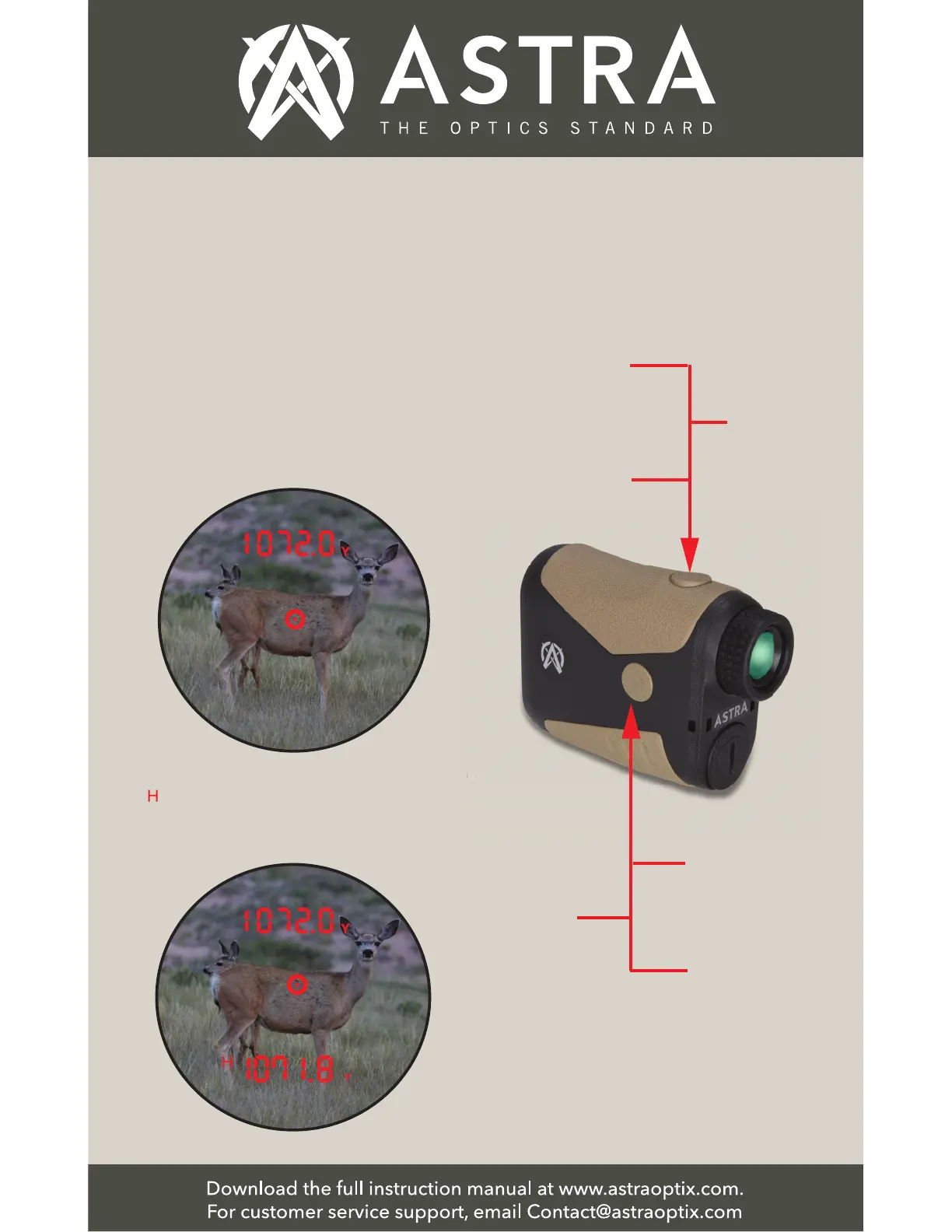
4. Measuring Distance: Aim the Aiming
Reticle on the object you want to range
and press the Power Button to display
the distance. Your unit factory default
setting is the Horizontal (Angle
Corrected) Mode.
The Line of Sight (LOS) value is
displayed at the top of the display for
2 seconds.
The angle-corrected Horizontal Distance
( ) value is displayed at the bottom of
the display for up to 8 seconds or until
you take a new measurement.
5. Menu Settings - Button Operation
Summary
l
Press Power
Button to turn
on and to measure
the distance.
Hold Power
Button to
SCAN.
Press Power
Button to cycle
between menu
items when in
the menu.
Hold Mode
Button to
enter menu.
Hold Mode
Button to
exit menu.
Press Mode
Button to
confirm
selections in
the menu.


 To Next Page