Quick Start
5.6. How to set up your rangefinder with the Applied Ballistics® Phone App:
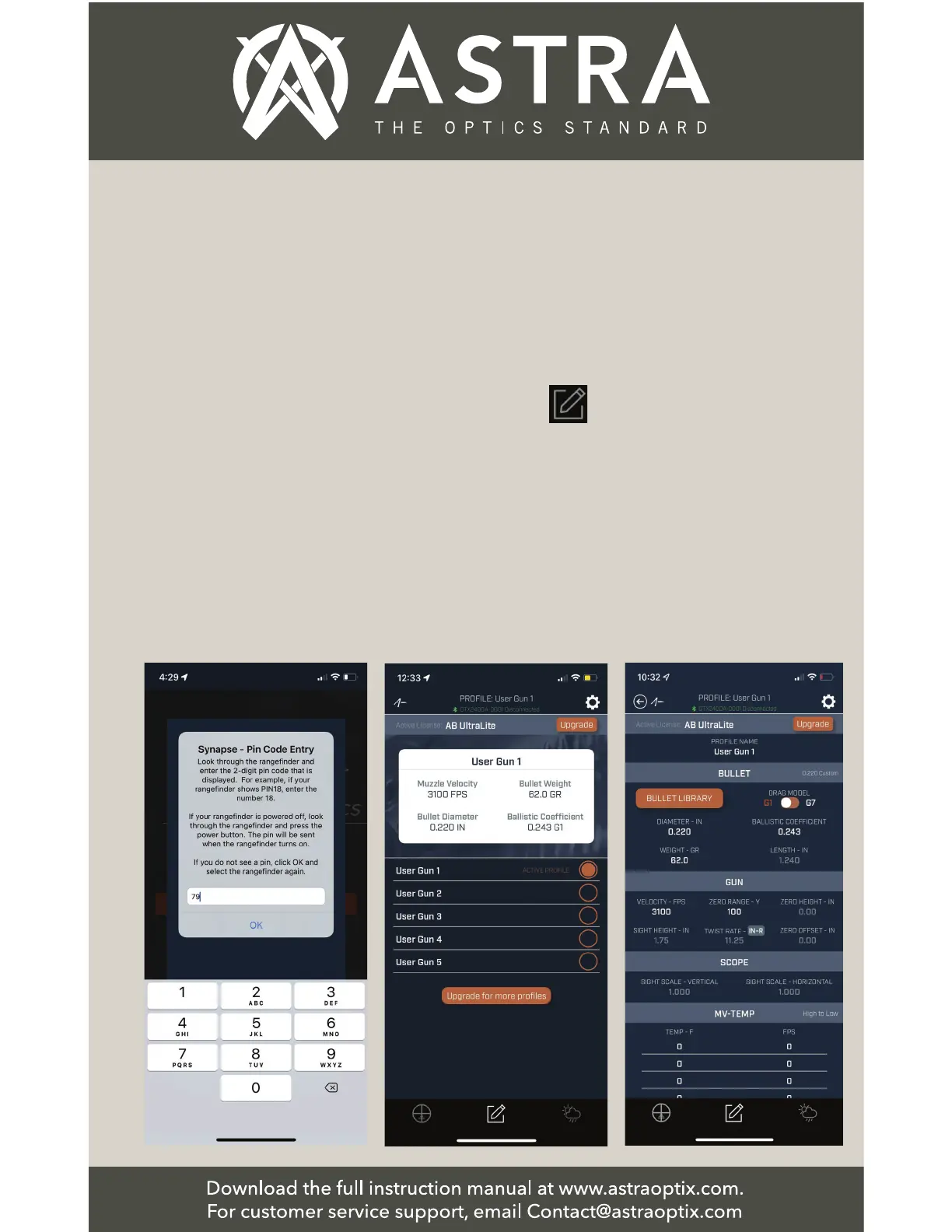
◆Pair the Rangefinder
Device with the App:
Look in your rangefinder
at the same time as it is
connecting. A 2-digit
pin code will appear.
Enter the pin number in
the space as shown.
Note: After 6 seconds,
the Pin number will
dissapear. Press on the
device name again to
display the pin number
in the rangefinder.
◆Setting up in the App -
Set up your 5 most often
used load profiles:
Click the edit icon
to set up up to 5 different
load profiles.
◆Setting up in the App -
Choose your 5 most often
used load profiles:
Choose the “Bullet
Library” to locate your
ammunition and/or you
can manually enter your
bullet’s ballistics infor-
mation directly into the
App.


 To Next Page