EasyManua.ls Logo

Astra OTX2400A - Quick Start App Integration; Set up rangefinder with Applied Ballistics Phone App

Astra OTX2400A
14 pages
Print Icon
To Next Page IconTo Next Page
To Previous Page IconTo Previous Page
Loading...
Quick Start
5.6. How to set up your rangender with the Applied Ballistics® Phone App:
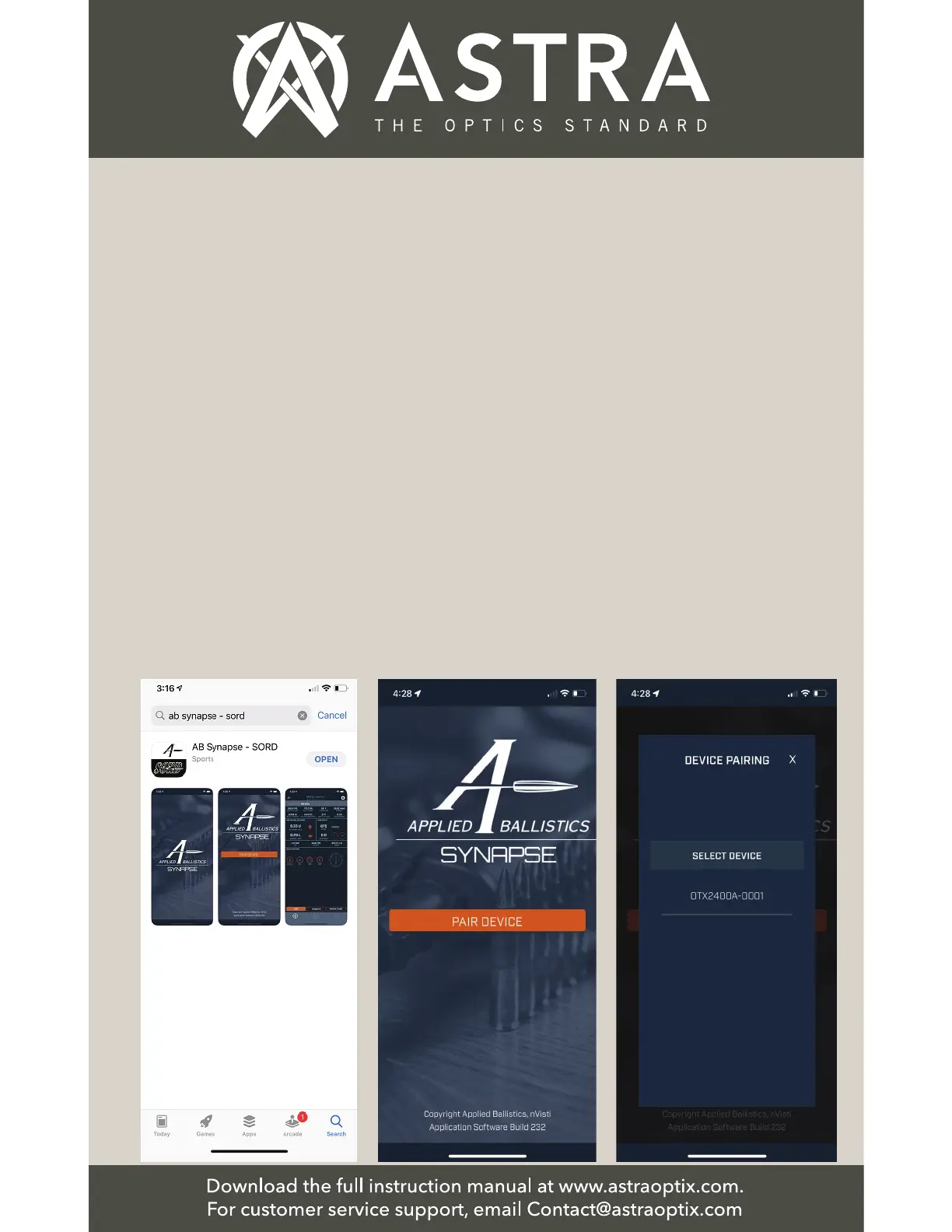
◆Download the App:
Download the App from
the Apple App Store or
Google Play (if Android
device). Search for the
AB Synapse - SORD
App in the App store as
shown below.
Next download the App
and install the App.
Open the “SORD” App
on your phone.
◆Pair the Rangender
Device with the App:
The Applied Ballistics®
start-up screen will
appear. Press the power
button to turn on your
rangender, and press
PAIR DEVICE.
NOTE: Turn on your
phone’s Bluetooth in
your iOS or Android
phone Settings menu
if it is not turned on.
◆Pair the Rangender
Device with the App:
The device name in this
example: OTX2400A-0001
will appear just below
Select Device.” Press on
the device name, and it will
display a message:
Connecting to
OTX2400A-0001.”