4
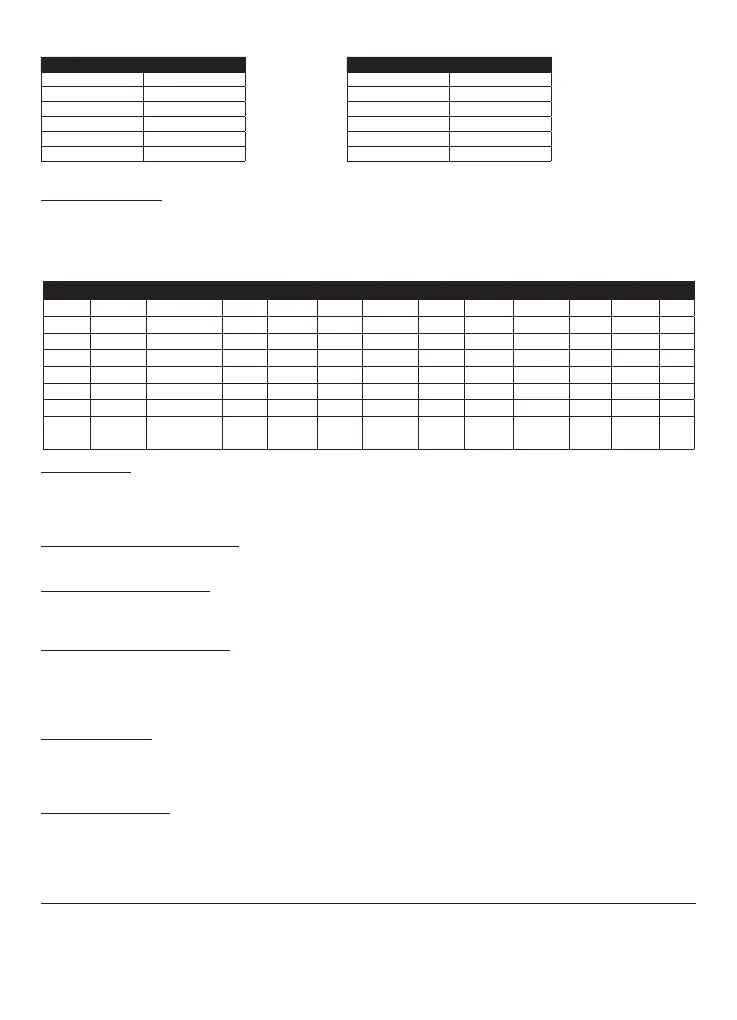
COLOUR Nº COLOUR COLOUR Nº COLOUR
1 Red 7 Sky-blue
2 Green 8 Pale violet
3 Blue 9 Orange
4 Yellow 10 Pink
5 Cyan 11 Emerald green
6 Magenta 12 White
- Selecting sequences
The SEQUENCE button enables you to select one of the 8 available sequences. Each time the button is pressed, the
sequence changes; when the last sequence is reached, pressing again goes back to the first sequence. All sequences
work in cycles; when the last sequence is reached the cycle starts again.
The numbers of the sequences appear on the display numbered from 1 to 8.
SEQUENCE ORDER OF COLOURS
Estival
Red Green Blue
Caroline
Cyan Magenta Yellow
Iris
Green
Esmerald green
Cyan Sky-blue
Candy
Red Orange Green Orange
Tropical
Red Pink Blue Pink
Paradise
Red Orange Green Cyan Blue Pink
Abril
Pale violet Magenta Cyan Yellow White Yellow Cyan Magenta
Eleven
Red Green Blue Yellow Cyan Magenta Pale
violet
Sky-blue Orange Pink
Esmerald
green
White
- Refresh button
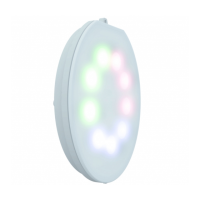
In pools with more than one LumiPlus Flexi, this button is used to synchronise them.
If one of the LumiPlus Flexi fails to respond to the COLOR/SEQUENCE commands, press the REFRESH button on the
LumiPlus Flexi and the last command will be sent so that it synchronises with the others.
- Selecting the speed of sequences
The -/+ buttons enable you to select one of the eight sequences, ordered from the slowest to the fastest speed.
- Switching LumiPlus Flexi Off
The LumiPlus Flexi are turned off by pressing the ON/OFF button. The status (colour/sequence) of the LumiPlus Flexi
is stored in the memory for the next time the system is switched on.
- Switching the remote control Off
The remote control automatically switches off in less than 60 seconds.
The LED display lights on the remote control only light up for a few seconds.
7.2 Control motion mode (see page 30)
When the control motion mode is switched on, the colours and sequences can be changed.
Changing the colour (Fig. A)
- Hold the remote control firmly without touching any of the buttons.
- Flick your wrist downwards.
- The change in colour will be displayed on the Central Display.
Changing the sequence (Fig. B)
- Hold the remote control firmly without touching any of the buttons.
- Flick you wrist form side to side.
- The change in sequence will be displayed on the Central Display.
8. CONTROL MOTION MAINTENANCE:
If the Central Display lights up in red without switching Off, this means the batteries are low. The battery case is on the
back of the Control Motion unit; replace the old batteries with two new AAA 1.5 V ones.






 To Next Page