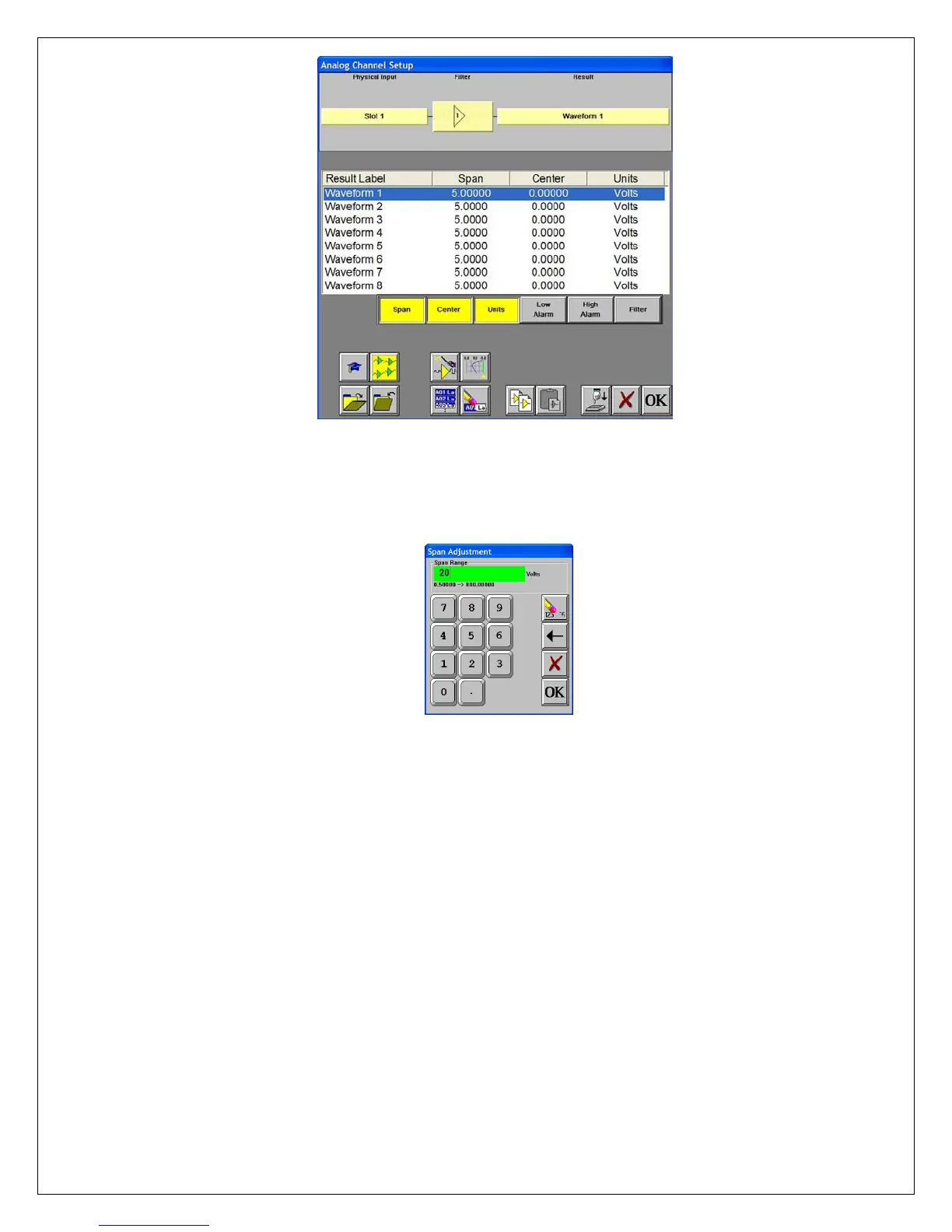
Dash 8Xe / Dash 8X Amplifier Channel Settings Window
Set Channel #1 to be
20 Volts Full Scale
Choose Setup >> Amplifier Channel Settings from the menu bar.
Highlight Waveform 1.
Span adjustment keypad
Press the Span column. Press the digit “2” and “0” to select twenty. Press
OK.
Input battery voltage into
Channel #1
Use the banana jack input connection located on the side of
the Dash 8Xe / Dash 8X and input the battery voltage into Channel #1.
Measure the battery
voltage using the color
display
Choose View >> Meter from the menu bar to activate the Meter Mode.
Observe the battery voltage.
Choose View >> Meter from the menu bar to remove the meter.
Remove battery voltage.
This completes the first part of the exercise, Realtime Monitoring.
7


 To Next Page
 Loading...