Getting started
NOTE: If your Notebook PC does not have its battery pack installed, use
the following procedures for installation.
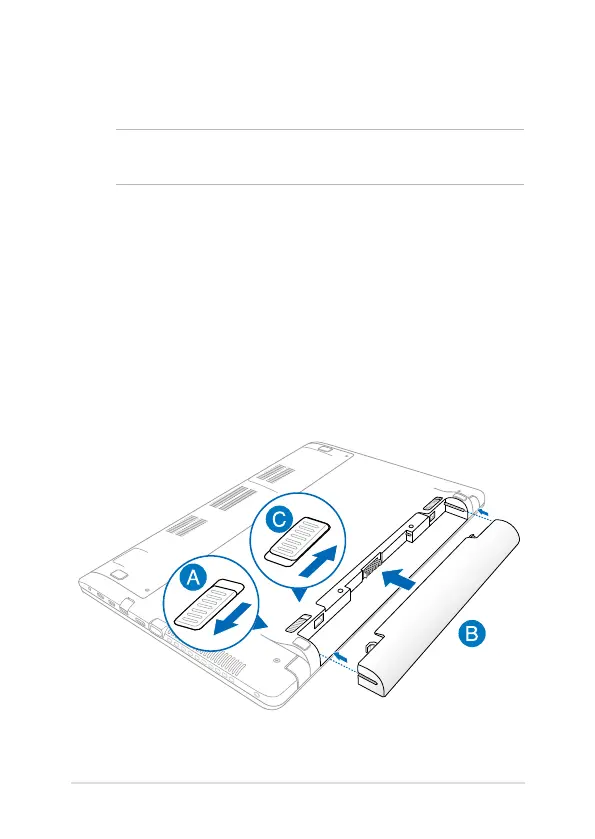
Install the battery pack. (on selected models)
A. Move the manual battery lock to the unlocked position.
B. Align and insert the battery pack into the Notebook PC’s battery
slot.
C. Move the manual battery lock back to the locked position after
inserting the battery pack.



 To Next Page