54
Notebook PC User Manual
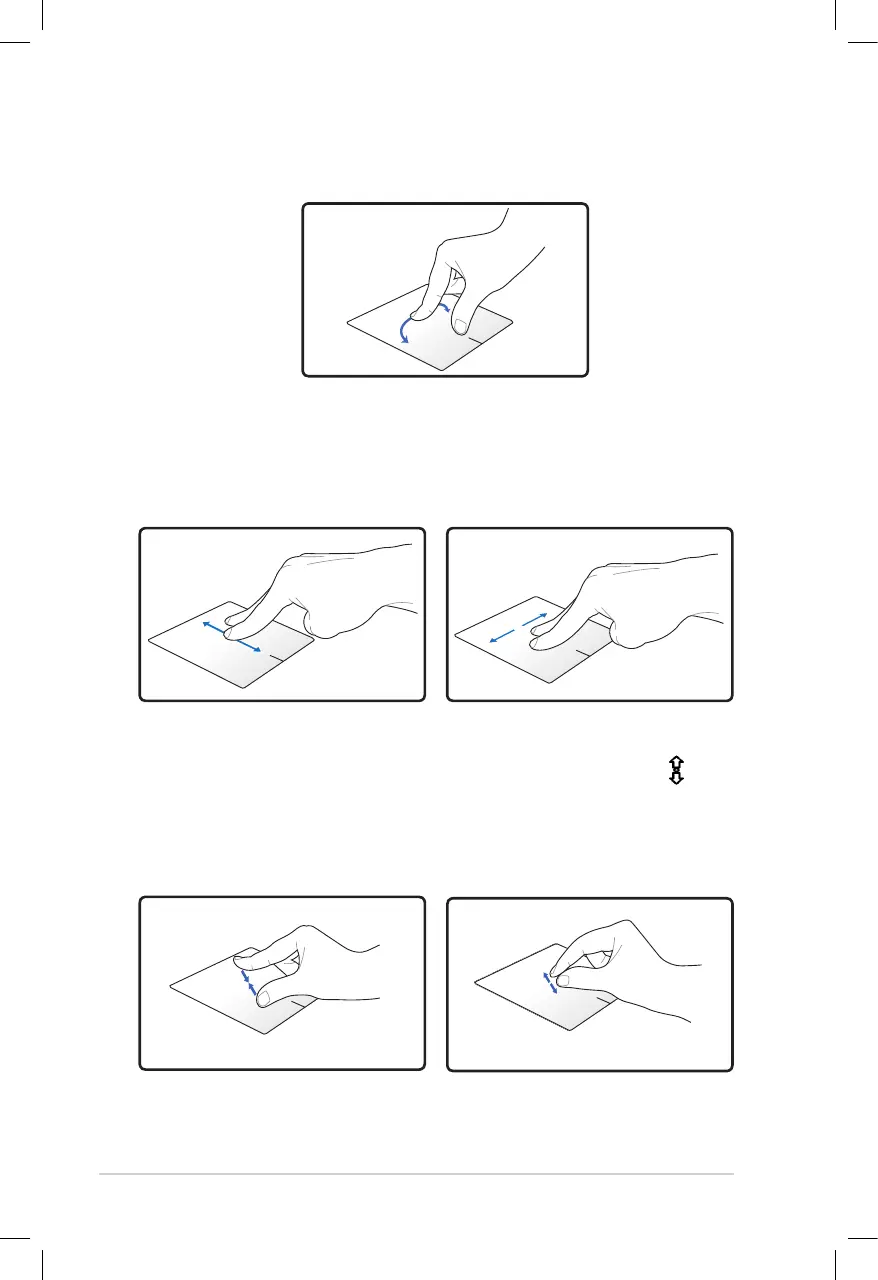
Rotating - Rotating images clockwise or counterclockwise is done on
the touchpad by using two fingers.
To rotate an image, place two fingers on the touchpad then turn one
finger clockwise or counterclockwise while the other stays still.
Scrolling - Using two fingers on the touchpad, you can scroll through
lists vertically and horizontally.
To enable continuous scrolling, hold your fingers on the edge of the
touchpad when moving from up to down or left to right and vice versa.
The mouse pointer changes to a double-headed arrow pointer when
continuous scrolling is activated.
Zooming - Using two fingers on the touchpad, you can enlarge or
reduce the view size of your selected image.
Bring together or spread apart two fingers to zoom in or out.



 To Next Page