Notebook PC User Manual
A-15
Software Problem - BIOS
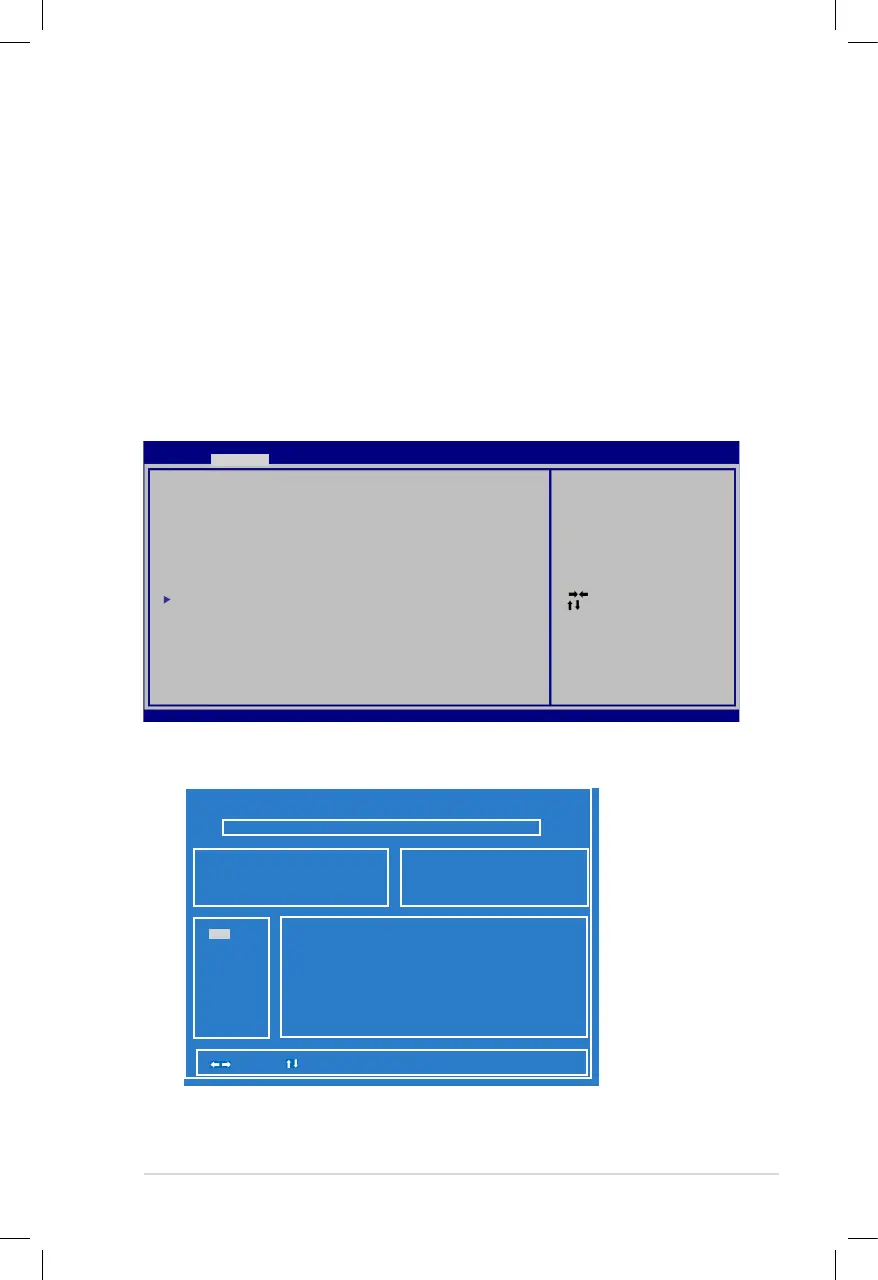
Updating the BIOS.
1. Please verify the Notebook PC’s exact model and download the
latest BIOS file for your model from the ASUS website and save
it in your flash disk drive.
2. Connect your flash disk drive to the Notebook PC and power on
the Notebook PC.
3. Use the Start Easy Flash function on the Advanced page of the
BIOS Setup Utility. Follow the instructions shown.
4. Locate the latest BIOS file and start updating (flashing) the BIOS.
ASU S Te k. E as y Flash Ut il it y
[ ]: Sw it ch [ ] : C ho os e [q] : Exit
FLA SH T YP E: G en eric Fla sh T yp e
Current P la tf or m
Pla tf or m: K 55
Ver si on : 200
Bui ld D at e: Dec 6 2010
New P la tf or m
Pla tf or m: U nkown
Ver si on : Unkown
Bui ld D at e: Unko wn
5. You must Restore Defaults on the Exit page after updating
(flashing) the BIOS.
: Se le ct S cr een
: Sel ec t Item
Ent er : Se le ct
+/— : Ch an ge O pt .
F1: G en er al H el p
F9: O pt im iz ed D ef aults
F10 : Sa ve ES C: Exit
Ver si on 2 .0 1. 1208. Co py ri gh t (C ) 2010 Ame ri ca n Me ga trend s, Inc.
A pt io Setup U ti li ty - C opyright ( C) 2 01 0 Ameri can Mega tr en ds , In c.
M ai nMai n A dv an ce d C hi ps et Bo ot Se cu ri ty Save & E xi t
St ar t Ea sy Flash
AS US F an cy Start [Di sa bl ed ]
PO ST L og o Type [St at ic ]
Pl ay P OS T Sound [No ]
Sp ea ke r Vo lume [4]
AS US E AS Y OV ER-CL OCK [Tu rb o]
In te rn al P ointing De vi ce [ En ab le d]
SV M Mo de [En ab le d]
Le ga cy U SB Support [Ena bl ed ]
SA TA C on fi gu ration
Pre ss E NT ER t o run th e ut il it y
to se le ct a nd update BI OS .
FS0
FS1



 To Next Page