Disassembly Procedure
2 - 2
Battery Module
BATTERY
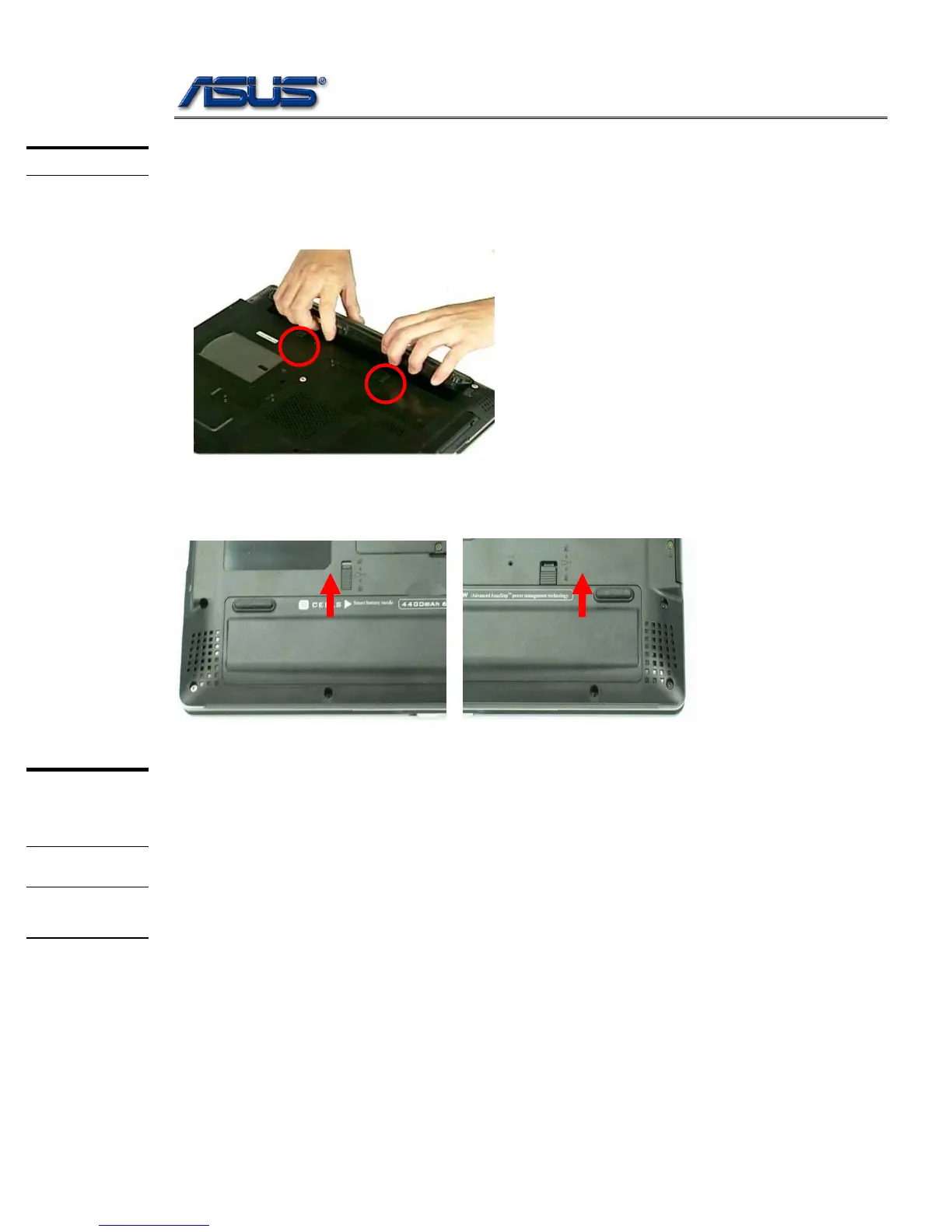
The illustration below shows how to remove the battery module.
1. Unlock and hold the latches, and remove the battery.
SECOND
MEMORY
MODULE
MEMORY
REMOVAL
2. Slide the battery latch (No.1) to unlock and Firmly slide the other latch (No.2) to the top and
remove the battery
Memory Module
The A6Jc/Jm Notebook do not have onboard RAM. There are two SO-DIMM sockets
for installing SO-DIMM RAM. It can upgrade the total memory size up to 2GB with a
1GB module on each socket.
Removing Memory module
1. Remove 2 screws and remove DIMM door.



 To Next Page