Disassembly Procedure
2 - 7
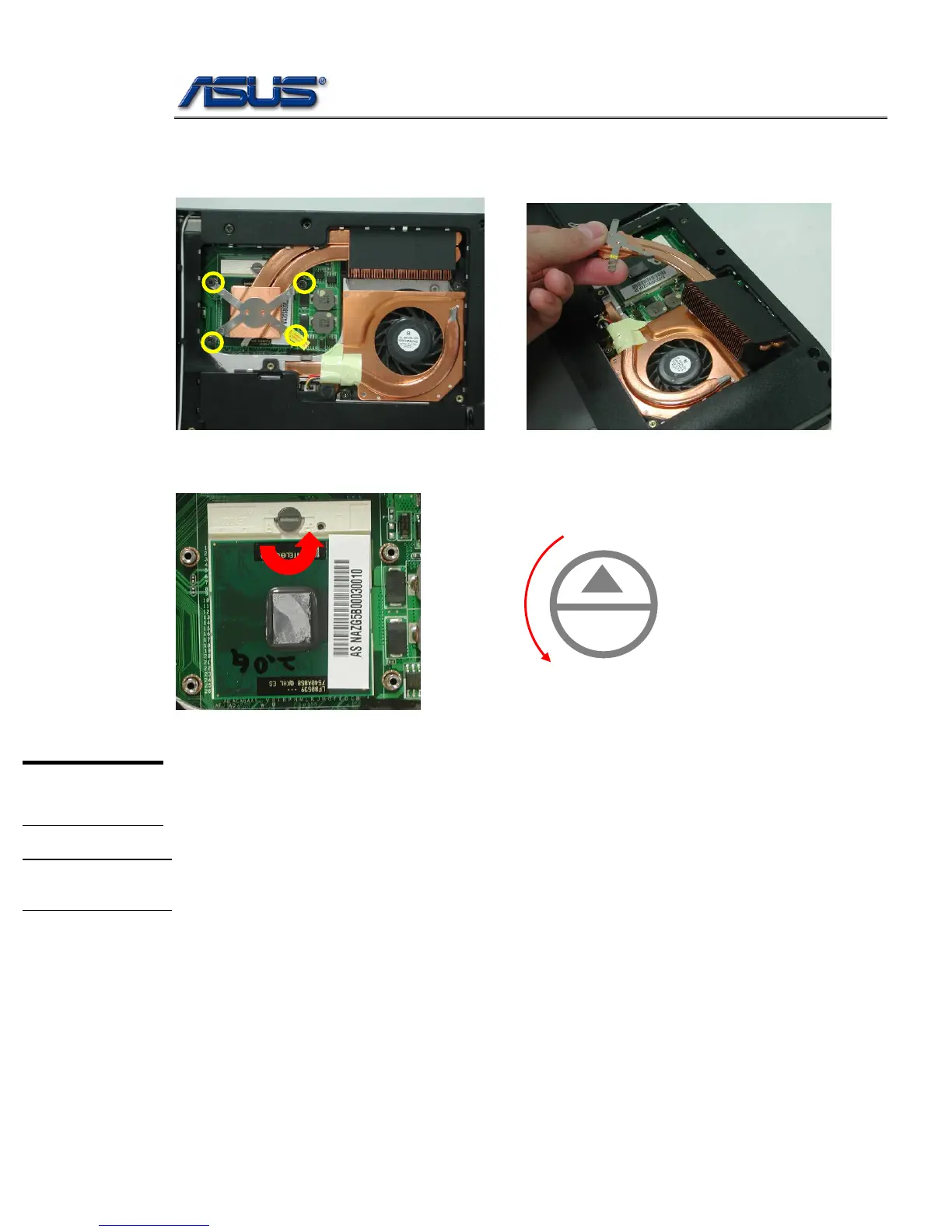
3. Remove 4 screws aside the CPU. And take away the thermal module.
3
2
1
4
4. Turn the non-removable screw here 180 degrees counter-clockwise to loosen the CPU.
Unlock
L
O
LCD Module
LCD
MODULE
The illustrations below show how to disassemble the LCD module. The module
contains LCD panel, Inverter board, LCD Hinge bracket, Hinge cover, LCD front
cover, LCD back cover.
LCD
DISASSEMBLY
Disassembling LCD Module
1. Remove 3 screws on both side.



 To Next Page