1-10
Chapter 1: Product introduction
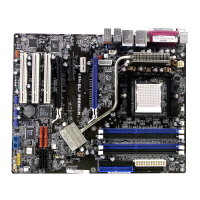
1.5.3 PCI slot
The PCI slot supports cards such as a LAN card, SCSI card, USB card, and other cards that
comply with PCI specications.
1.5.4 PCI Express 2.0 x1 slot
This motherboard supports PCI Express x1 network cards, SCSI cards, and other cards that
comply with the PCI Express specications.
1.5.5 PCI Express x16 slot
This motherboard has two PCI Express x16 slots that support PCI Express x16 graphic cards
complying with the PCI Express specications.
IRQ assignments for this motherboard
A B C D E F G
PCIEx1_1 shared – – – – – –
PCIEx16_1 – – shared – – – –
PCIEx1_2 – – – shared – – –
PCIEx16_2 shared – – – – – –
Realtek LAN controller – shared – – – – –
OnChip SATA controller – – – shared – – –
OnChip USB EHCI 1/2/3/4 – – shared – – – –
OnChip USB EHCI 1/2/3 – shared – – – – –
OnChip USB XHCI 1 – – shared – – – –
OnChip USB XHCI 2 – shared – – – – –
HD Audio shared – – – – –
PCI_1 – – – – shared – –
PCI_2 – – – – – shared –
PCI_3 – – – – – shared
• In single VGA card mode, use the PCIe 2.0 x16_1 slot (yellow) for a PCI Express x16
graphics card to get better performance.
• We recommend that you provide sufcient power when running CrossFireX™ mode.
See page 1-27 for details.
• Connect a chassis fan to the motherboard connector labeled CHA_FAN when using
multiple graphics cards for better thermal environment.


 To Next Page