ASUS A8N-EASUS A8N-E
ASUS A8N-EASUS A8N-E
ASUS A8N-E
3-293-29
3-293-29
3-29
Clearing a disk dataClearing a disk data
Clearing a disk dataClearing a disk data
Clearing a disk data
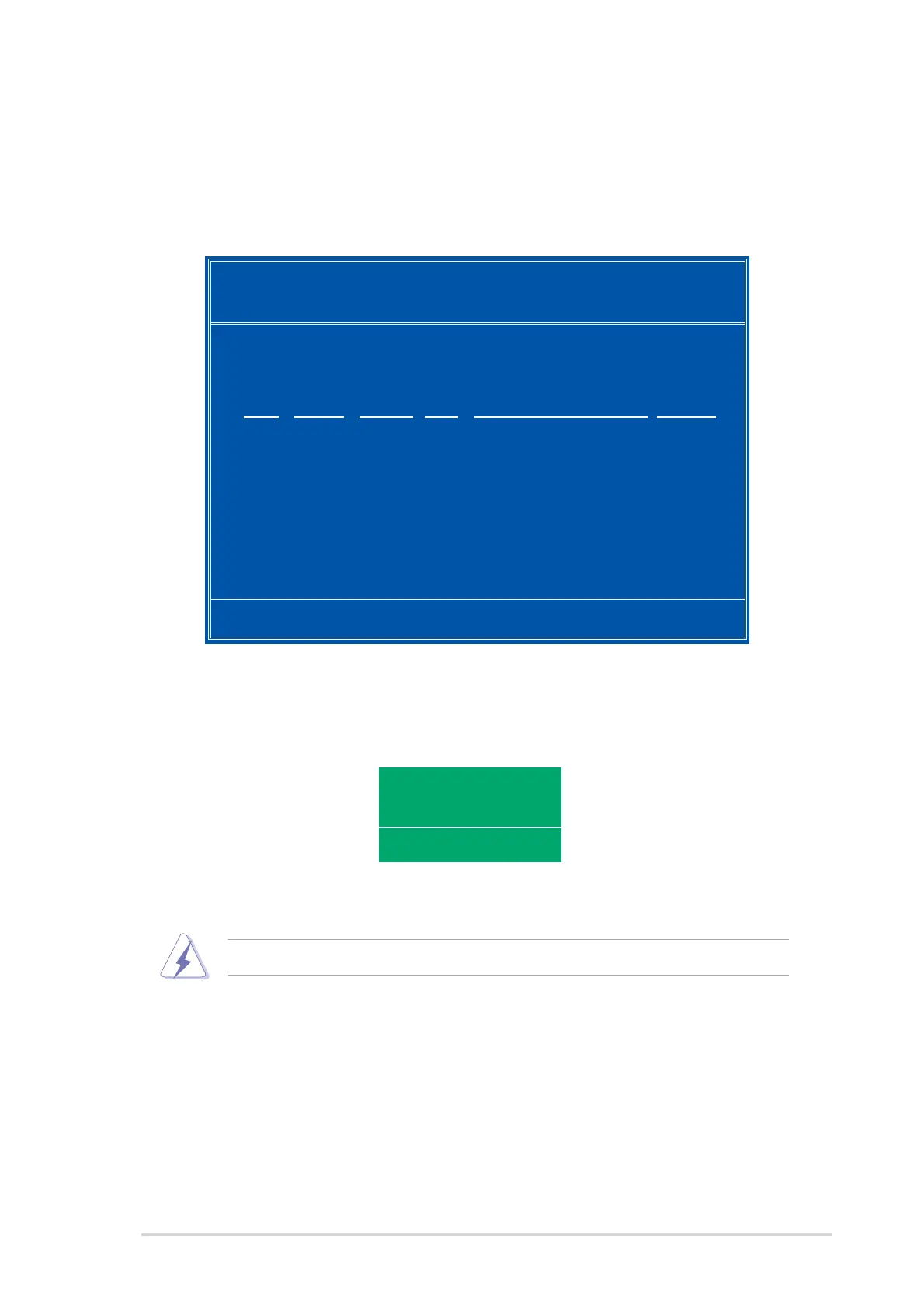
To clear disk data:
1. From the Array List menu, use the up or down arrow keys to select a
RAID array then press <Enter>. The RAID Array details appear.
[R] Rebuild [D] Delete [C] Clear Disk [ENTER] Return
Array 1 : NVIDIA MIRROR XXX.XXG
- Array Detail -
RAID Mode: Mirroring
Striping Width: 1 Striping Block: 64K
Adapt Channel M/S Index Disk Model Name Capacity
2 1 Master 0 XXXXXXXXXXXXXXXXX XXX.XXGB
1 0 Master 1 XXXXXXXXXXXXXXXXX XXX.XXGB
A new set of navigation keys is displayed on the bottom of the
screen.
2. Press <C> to clear disk. The following confirmation message appears.
Take caution in using this option. All data on the RAID drives will be lost!
Clear disk data?
[Y] YES [N]
5. Press <Y> to clear the disk data or press <N> to cancel.









 To Next Page