5G Wi-Fi Name (SSID): ASUS_XX_5G
* XX refers to the last two digits of the 2.4GHz MAC address. You can find it on the label on the back of your router.
3. Once connected, the web GUI launches automatically when you open a web browser. If it does not auto-launch,
enter http://router.asus.com.
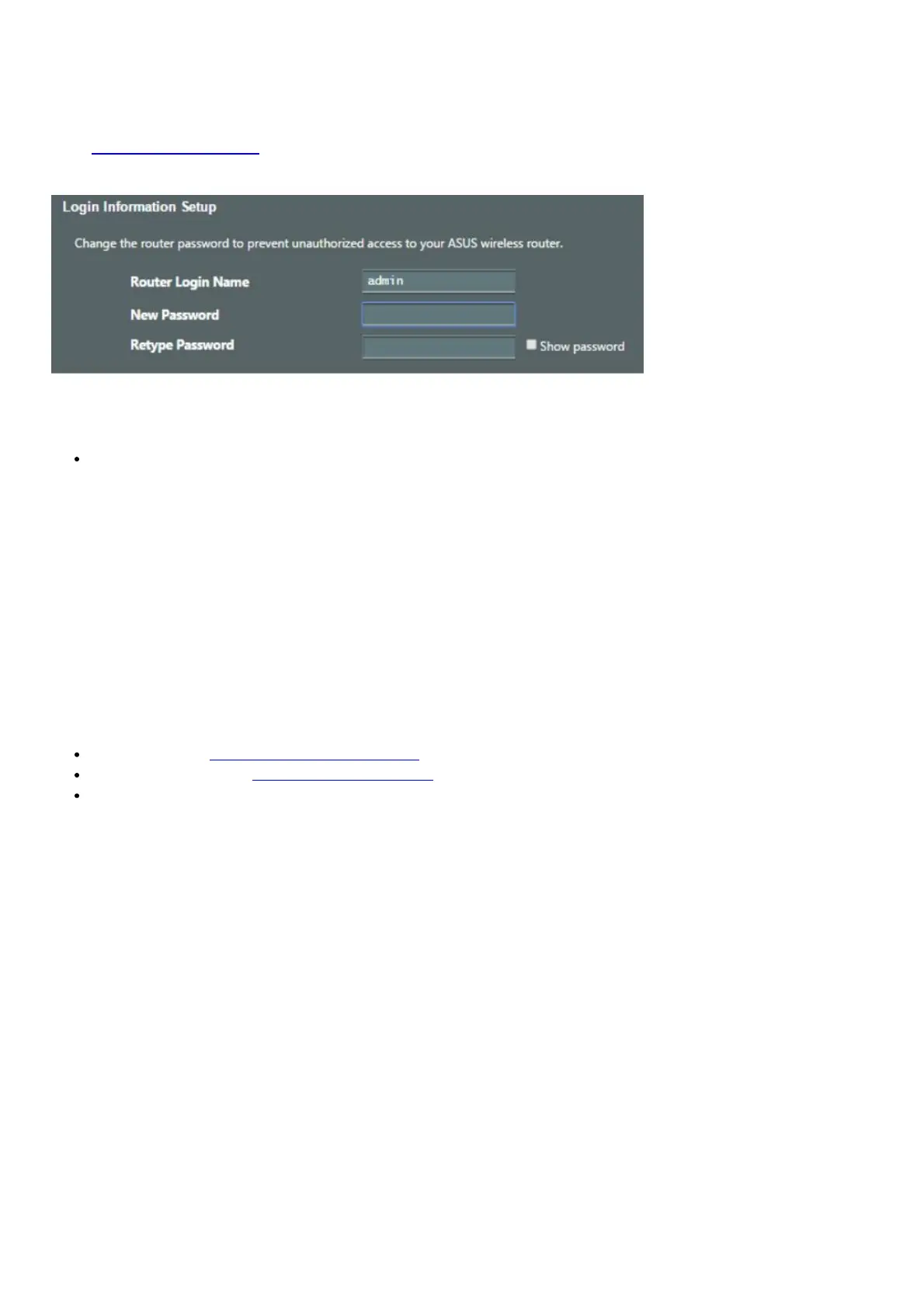
4. Set up a password for your router to prevent unauthorized access.
Remembering your wireless router settings
Remember your wireless settings as you complete the router setup.
Router Name:
Password:
2.4 GHz network SSID:
Password:
5GHz network SSID:
Password:
FAQ
1. Where can I find more information about the wireless router?
Online FAQ site: http://support.asus.com/faq
Technical support site: http://support.asus.com
Customer hotline: refer to the Support Hotline section in this Quick Start Guide
Networks Global Hotline Information








 To Next Page