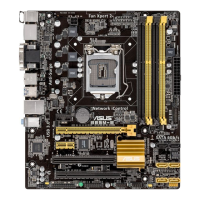
ASUS B85M-D PLUS
2-15
This following item appears only when you set the CPU Power Phase Control item to
[Manual Adjustment].
Manual Adjustment [Fast]
Allows you to set a response for the CPU power phase control. Conguration options:
[Ultra Fast] [Fast] [Medium] [Regular]
CPU Power Duty Control [T.Probe]
DIGI + VRM Duty Control adjusts the current of every VRM phase and the thermal conditions
of every component.
[T. Probe] Select to maintain the VRM thermal balance.
[Extreme] Select to maintain the current VRM balance.
CPU Current Capability [Auto]
Allows you to congure the total power range, and extends the overclocking frequency range
simultaneously. Conguration options: [Auto] [100%] [110%] [120%] [130%] [140%]
Choose a higher value when overclocking, or under a high CPU loading for extra power
support.
2.5.11 CPU Power Management
The subitems in this menu allow you to set the CPU ratio and features.
Enhanced Intel
®
SpeedStep Technology [Enabled]
Allows you to enable or disable the Enhanced Intel
®
SpeedStep Technology (EIST).
[Disabled] Disables this function.
[Enabled] The operating system dynamically adjusts the processor voltage and
core frequency which may result in decreased average consumption and
decreased average heat production.
Turbo Mode [Enabled]
Allows you to enable your core processor’s speed to run faster than the marked frequency in
a specic condition. Conguration options: [Disabled] [Enabled]
• Turbo Mode is only available on selected CPU models only.
• The following rst three items appear only when you set the Turbo Mode to [Enabled].
Turbo Mode Parameters
Long Duration Package Power Limit [Auto]
Allows you to limit the turbo ratio’s long duration package power.
Use the <+> and <‑> keys to adjust the value.
Package Power Time Window [Auto]
Allows you to set the package power time window.
Use the <+> and <‑> keys to adjust the value.


 To Next Page