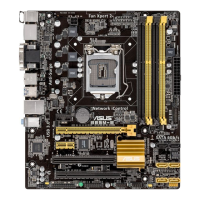
ASUS B85M-D PLUS
2-19
2.5.15 CPU System Agent Voltage Offset Mode Sign [+]
This item allows you to set the CPU system agent voltage offset mode sign. Conguration
options: [+] [‑].
CPU System Agent Voltage Offset [Auto]
This item allows you to set the CPU system agent voltage offset. Increase the value when
increasing DRAM frequency. The values range from 0.001V to 0.999V with a 0.001V interval.
2.5.16 CPU Analog I/O Voltage Offset Mode Sign [+]
This item allows you to set the CPU analog I/O voltage offset mode sign. Conguration
options: [+] [‑].
CPU Analog I/O Voltage Offset [Auto]
This item allows you to set the CPU analog I/O voltage offset. Increase the value when
increasing DRAM frequency. The values range from 0.001V to 0.999V with a 0.001V interval.
2.5.17 CPU Digital I/O Voltage Offset Mode Sign [+]
This item allows you to set the CPU digital I/O voltage offset mode sign. Conguration
options: [+] [‑].
CPU Digital I/O Voltage Offset [Auto]
This item allows you to set the CPU digital I/O voltage offset. Increase the value when
increasing DRAM frequency. The values range from 0.001V to 0.999V with a 0.001V interval.
2.5.18 SVID Control [Auto]
Disabling SVID Support stops the processor from commmunicating with the external voltage
regulator. Conguration options: [Auto] [Disabled] [Enabled]
2.5.19 CPU Input Voltage (VCCIN) [Auto]
This item allows you to set the CPU input voltage. The values range from 0.800V to 2.700V
with a 0.010V interval.
2.5.20 DRAM Voltage [Auto]
Allows you to set the DRAM Voltage. Conguration options: [Auto] [1.20V] [1.35V] [1.40V]
[1.45V] [1.50V] [1.55V] [1.60V] [1.65V] [1.70V] [1.75V] [1.80V]
2.5.21 PCH VLX Voltage [Auto]
Allows you to set the voltage for the I/O on the Platform Controller Hub. Conguration
options: [Auto] [+0.10V]
2.5.22 CPU Spread Spectrum [Auto]
[Auto] Automatic conguration.
[Disabled] Enhances the BCLK overclocking ability.
[Enabled] Sets to [Enabled] for EMI control.


 To Next Page