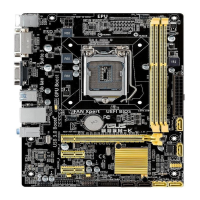
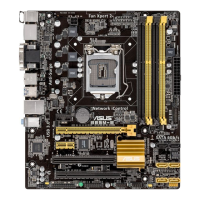
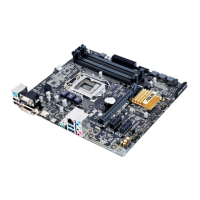
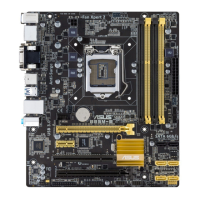
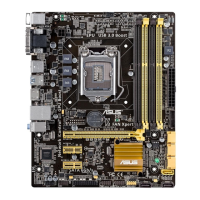
ASUS B85M-D PLUS
2-21
Intel
®
Virtualization Technology [Disabled]
[Enabled] Allows a hardware platform to run multiple operating systems separately
and simultaneously, enabling one system to virtually function as several
systems.
[Disabled] Disables this function.
Hardware Prefetcher [Enabled]
[Enabled] Allows a hardware platform to automatically analyze the requirements and
prefetch data and codes for the CPU.
[Disabled] Disables this function.
Adjacent Cache Line Prefetch [Enabled]
[Enabled] Allows a hardware platform to perform adjacent cache line prefetching.
[Disabled] Disables this function.
Boot performance mode [Max Non-Tu...]
This item allows you to select the boot performance mode. Conguration options: [Max Non‑
Turbo Performance] [Max battery] [Turbo Performance]
CPU Power Management Configuration
This item allows you to manage and congure the CPU’s power.
EIST [Enabled]
Allows you to enable or disable the Enhanced Intel
®
SpeedStep Technology (EIST).
[Disabled] The CPU runs at its default speed.
[Enabled] The operating system controls the CPU speed.
Turbo Mode [Enabled]
Allows you to set the processor cores to run faster than the marked frequency in a
specic condition. Conguration options: [Enabled] [Disabled]
Turbo Mode is only available on selected CPU models only.
CPU C states [Auto]
[Auto] Automatic conguration.
[Enabled] Enables the CPU C states.
[Disabled] Disables the CPU C states.
The following items appear only when you set the CPU C states to [Enabled].
Enhanced C1 state [Enabled]
[Enabled] Enables enhanced C1 state.
[Disabled] Disables enhanced C1 state.
CPU C3 Report [Enabled]
Allows you to disable or enable the CPU C3 report to OS. Conguration options:
[Enabled] [Disabled]


 To Next Page