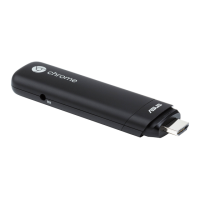
How to shut down your Chromebit?
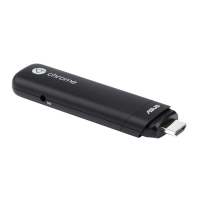
Put the mouse in the right bottom of the screen and click one time, and then click the Power
icon to shut down your Chromebit.
How can you change the Chromebit font size?
Step 1: Please click in the bottom right hand-corner to open the menu (where the shutdown
button appears too), and click on the 'Settings' icon.
Step 2: At the bottom of the settings page , click on 'show advanced settings'.
Step 3: Scroll down the page to find the settings for [ Web content ] and try to change the Font
size and/or Page zoom.
If preferred, you can also click on [ customize fonts ] and define a customized font size.


 To Next Page