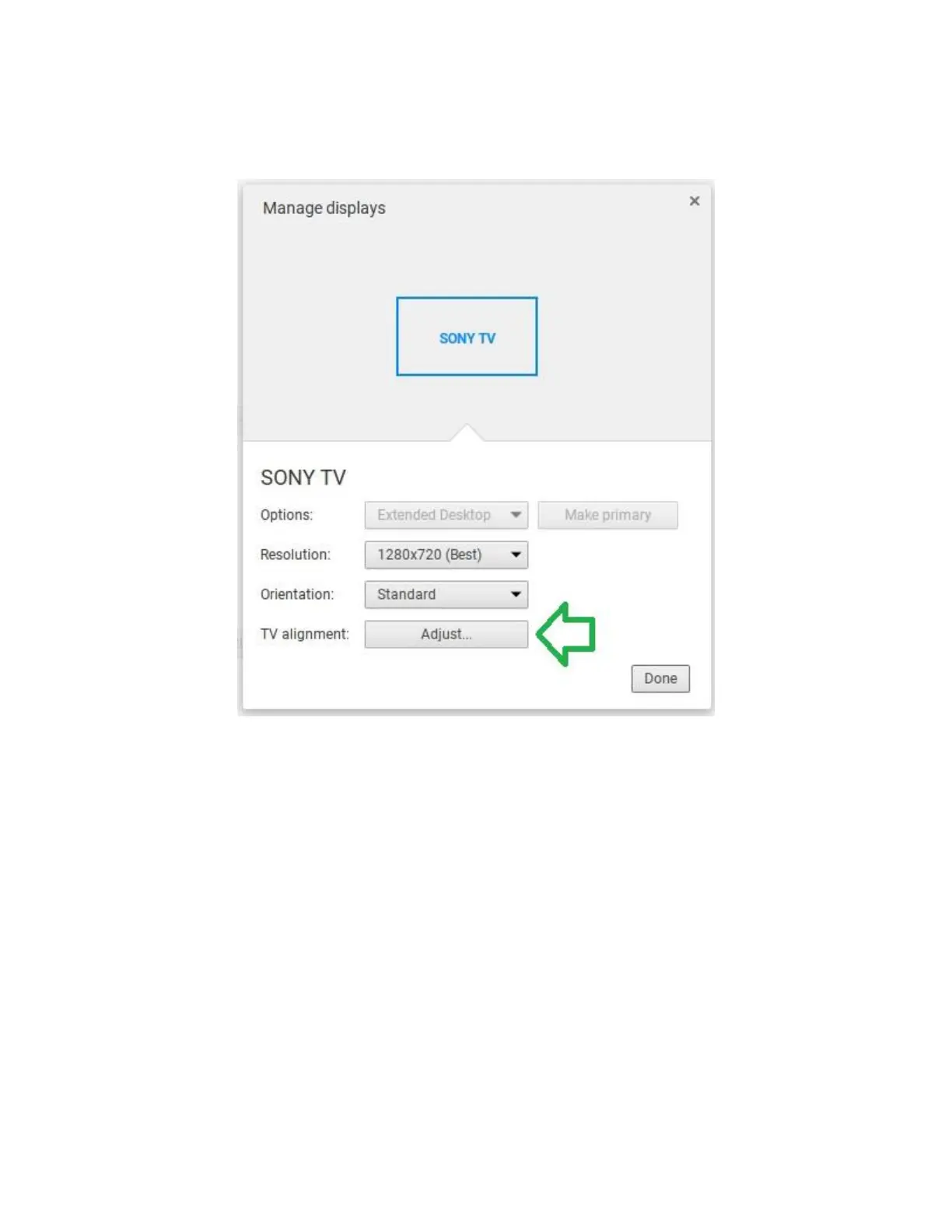
Under the 'Manage displays' screen that pops-up, check the TV alignment option and
click on 'Adjust'.
In the next screen that pops-up , you can do the actions below by using arrow keys on
keyboard (along with pressing the 'shift' key if you need to move the display
position). Hit 'OK' when finished and then click 'Done'.
Left-Arrow only: Expand display horizontally
Right-Arrow only: Shrink display horizontally
Down-Arrow only: Shrink display vertically
Up-Arrow only: Expand display vertically
Shift key + Arrow keys: Move display in direction of arrow keys


 To Next Page