Need help?
Do you have a question about the Asus CUSL2 and is the answer not in the manual?
Overview of the manual's structure and content sections.
List of package contents to verify completeness of the product.
Introduction to the ASUS CUSL2 motherboard and its target user.
Detailed technical specifications of the motherboard's features.
List of optional components and detailed performance capabilities.
Overview of advanced features for system monitoring and control.
Identification and location of key motherboard components.
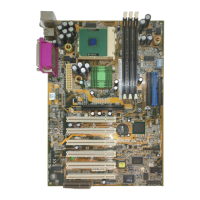
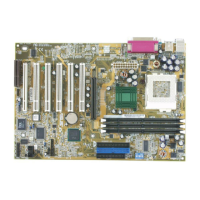
Visual guide to the physical placement of motherboard components.
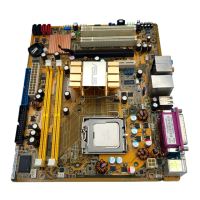
Diagram illustrating the physical layout of the motherboard.
List of motherboard settings, slots, and connector details.
Step-by-step guide for installing hardware components.
Configuration of jumpers and DIP switches on the motherboard.
Information on installing and configuring system memory modules.
Guide to installing the CPU into the ZIF socket.
Instructions for installing expansion cards and managing IRQs.
Details on CNR slots, AGP Pro slot, and their functionalities.
Guide to various external ports and connectors on the motherboard.
Details on PS/2 mouse and keyboard connectors.
Information on USB ports and the parallel printer port.
Details on serial communication ports and VGA monitor output.
Information on audio ports and the floppy disk drive connector.
Guide to connecting IDE hard drives and optical drives.
Connecting IDE activity LEDs and fan power connectors.
Details on internal audio input/output connectors.
Connecting optional iPanel and infrared modules.
Connecting SMB devices and chassis intrusion detection leads.
Details on Wake-On-LAN, Wake-On-Ring, and USB internal headers.
Connecting ATX power supply and thermal sensor.
Connecting front panel switches, LEDs, and speaker.
Guide for the initial power-on and system startup process.
Interpretation of BIOS beep codes for system diagnostics.
Procedures for saving and updating the system BIOS.
How to access and navigate the BIOS setup utility.
Explanation of BIOS menus, keys, and navigation controls.
Accessing help screens and understanding sub-menu navigation.
Configuration options available in the BIOS main menu.
Adjusting system time, date, and floppy drive configurations.
Configuring IDE hard disk drive parameters and settings.
Detailed settings for HDD cylinders, heads, sectors, and transfer modes.
Configuring keyboard settings like NumLock and auto-repeat.
Setting system language, passwords, and error handling.
Accessing advanced system configuration options.
Configuring CPU internal frequency and FSB ratios.
Settings for CPU cache, BIOS updates, and legacy device support.
Configuring SDRAM timings, latency, and capabilities.
Adjusting SDRAM RAS, CAS, cycle times, and page policies.
Settings for graphics cache and PCI slot configurations.
Configuring onboard AC97 devices, FDC, and serial ports.
Settings for serial, parallel, game, and MIDI ports.
Configuring PCI slot IRQs and VGA palette snooping.
Configuring USB function and VGA BIOS sequence.
Configuring video ROM and expansion card ROM shadowing.
Options for managing system power consumption.
Configuring power saving modes and features.
Settings for video off, HDD power down, and suspend modes.
Configuring system power-up triggers like modems and LAN.
Settings for keyboard/mouse power-up and automatic power-up.
Monitoring system temperatures, fan speeds, and voltages.
Selecting the primary boot device and sequence.
Configuring removable, IDE, ATAPI, and network boot devices.
Settings for Plug & Play, virus detection, and POST tests.
Options for saving or discarding BIOS setup changes.
How to save changes and exit the BIOS setup utility.
Loading defaults, discarding, or saving changes to BIOS.
Recommendations for installing the operating system and updates.
Initial steps after starting Windows for the first time.
Information on using the motherboard support CD.
List of software and utilities available on the support CD.
Instructions for installing INF update utility for the chipset.
Guide for installing the graphics controller driver.
Steps to install the Intel LDCM administrator software.
Instructions for installing the Intel LDCM client software.
Guide for installing the ASUS BIOS flash utility.
Instructions for installing the ASUS PC Probe utility.
Steps for installing the ASUS Update utility.
Guide for installing the Microsoft DirectX driver.
Instructions for installing the YAMAHA SoftSynthesizer.
Guide for installing the PC-Cillin virus protection software.
Instructions for installing Adobe Acrobat Reader.
Information on CyberLink video and audio software.
How to uninstall software using Windows Add/Remove Programs.
Configuring display settings like resolution, color, and performance.
Using ASUS PC Probe for system monitoring and diagnostics.
Utility for updating motherboard BIOS and drivers online.
Information on using the YAMAHA XGPlayer for multimedia playback.
Guide to using CyberLink PowerPlayer SE for media playback.
Information on using CyberLink PowerDVD for video playback.
Using CyberLink VideoLive Mail for video messaging.
Details about the ASUS PCI-L101 Fast Ethernet Card.
Definitions of technical terms used in the manual.
 General
| Form Factor | ATX |
|---|---|
| Socket Type | Socket 370 |
| Chipset | Intel 815E |
| Memory Type | SDRAM |
| Maximum RAM | 512MB |
| Memory Slots | 3 |
| Supported Processors | Intel Pentium III, Celeron |
| USB Ports | 2 x USB 1.1 |
| BIOS | Award BIOS |
| IDE Ports | 2 |
| Expansion Slots | 1 x AGP, 5 x PCI |

 To Next Page