Connecting a USB keyboard and a USB mouse
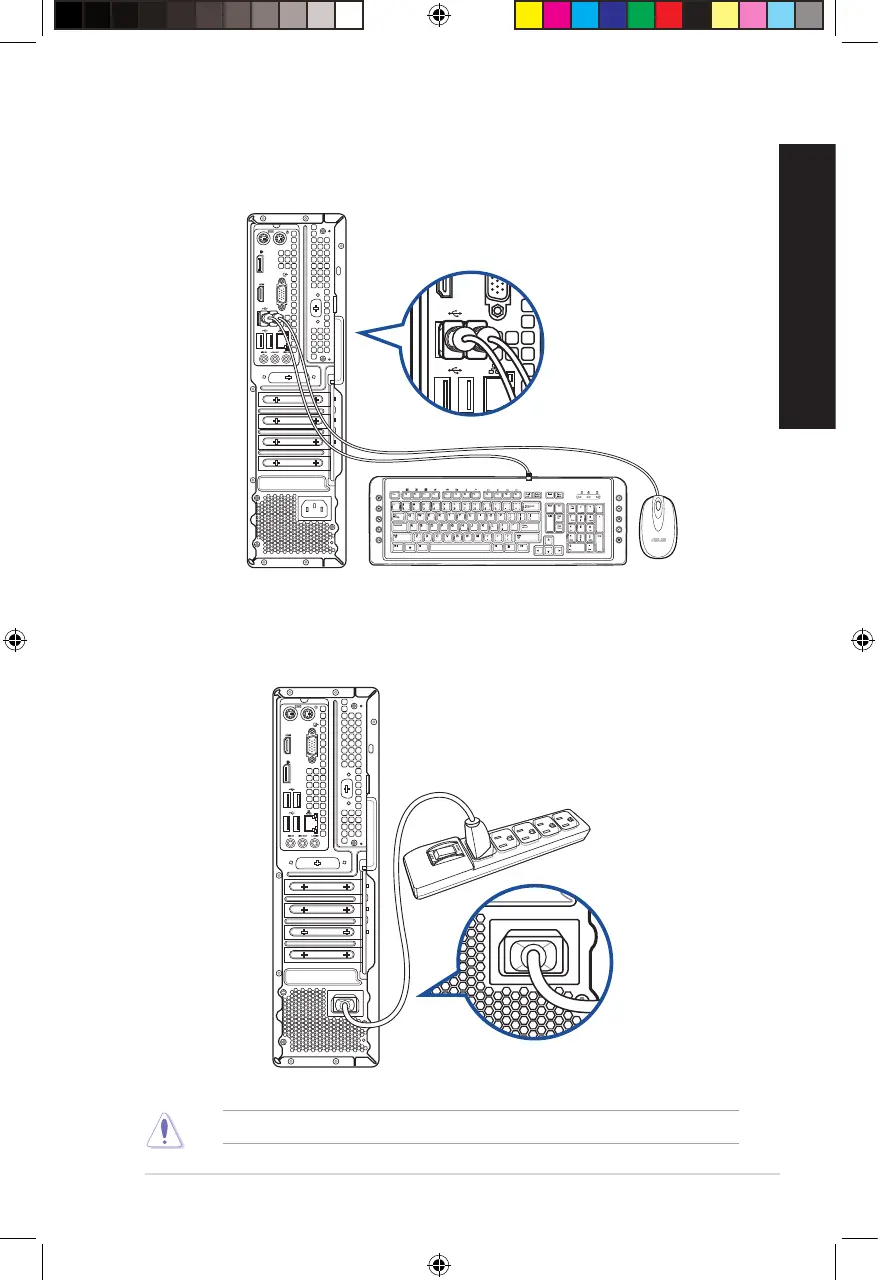
Connect a USB keyboard and a USB mouse to the USB ports on the rear panel of your computer.
Connecting the power cord
Connect one end of the power cord to the power connector on the rear panel of your computer
and the other end to a power source.
For safety purposes, ONLY connect the power cord to a grounded electrical outlet.
19
E16757_D700SA_D500SA_Series_UM.indb 19E16757_D700SA_D500SA_Series_UM.indb 19 2020/6/9 10:30:582020/6/9 10:30:58


 To Next Page