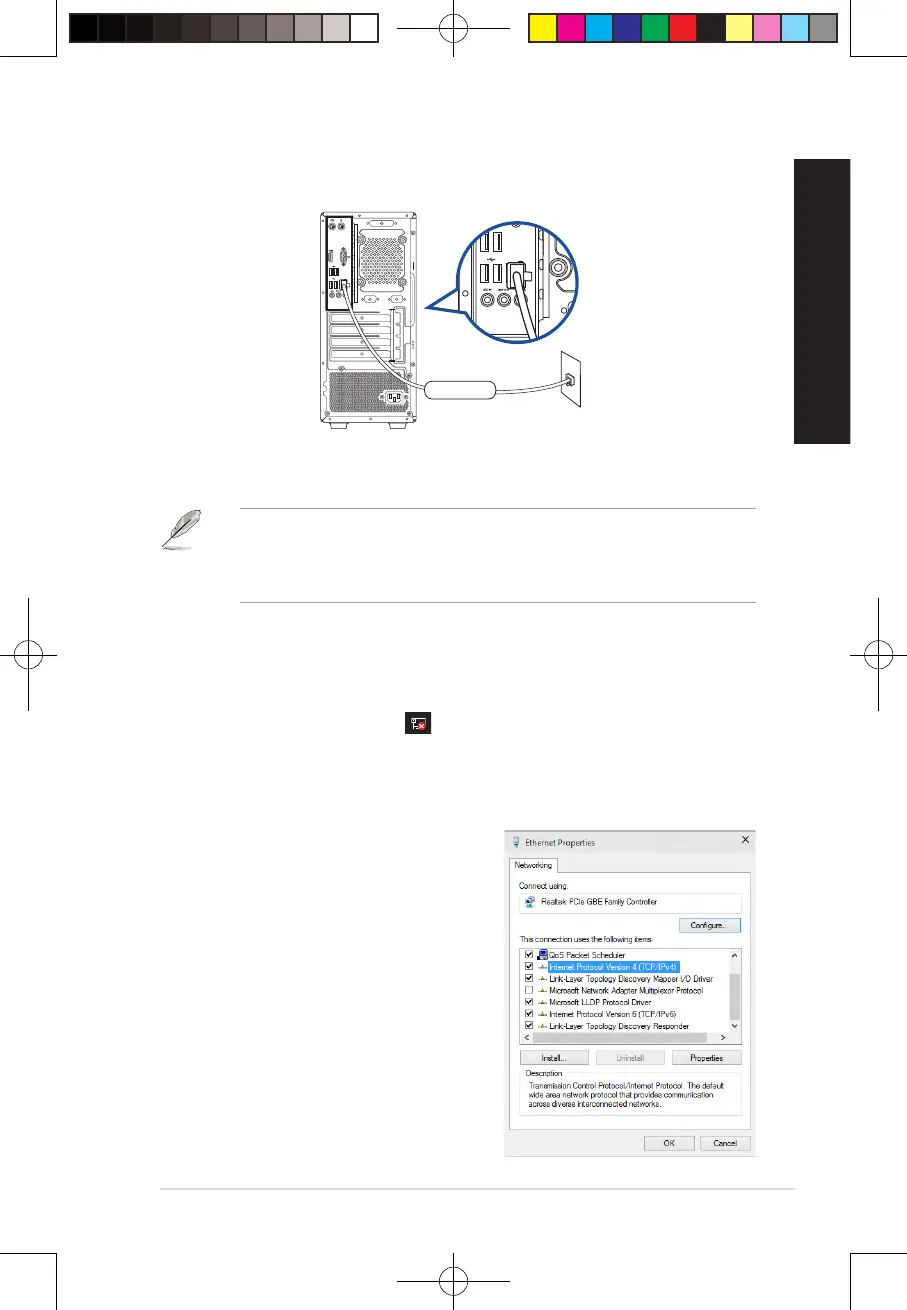
2. Turn on your computer.
3. Congure the necessary Internet connection settings.
• Contact your network administrator for details or assistance in setting up your Internet
connection.
• For more details, refer to the sections Conguring a dynamic IP/PPPoE network connection
or Conguring a static IP network connection.
LAN
RJ-45 cable
D500MD/S500MD/D500MDES/M500MD/D500MD_CZ/D500MD_IN
Conguring a dynamic IP/PPPoE network connection
To congure a dynamic IP/PPPoE network connection:
1. Launch Network and Sharing Center in either of these two ways:
a) From the taskbar, right-click , then click Open Network and Sharing Center.
b) From the Start menu, click Settings > Network & Internet > Ethernet > Network and
Sharing Center.
2. From the Open Network and Sharing Center screen, click Change Adapter settings.
3. Right-click on your LAN and select Properties.
4. Click Internet Protocol Version 4(TCP/IPv4)
and click Properties.
45
E19621_D500MD_D700MD_UM.indd 45E19621_D500MD_D700MD_UM.indd 45 3/1/2022 2:38:12 PM3/1/2022 2:38:12 PM



 To Next Page