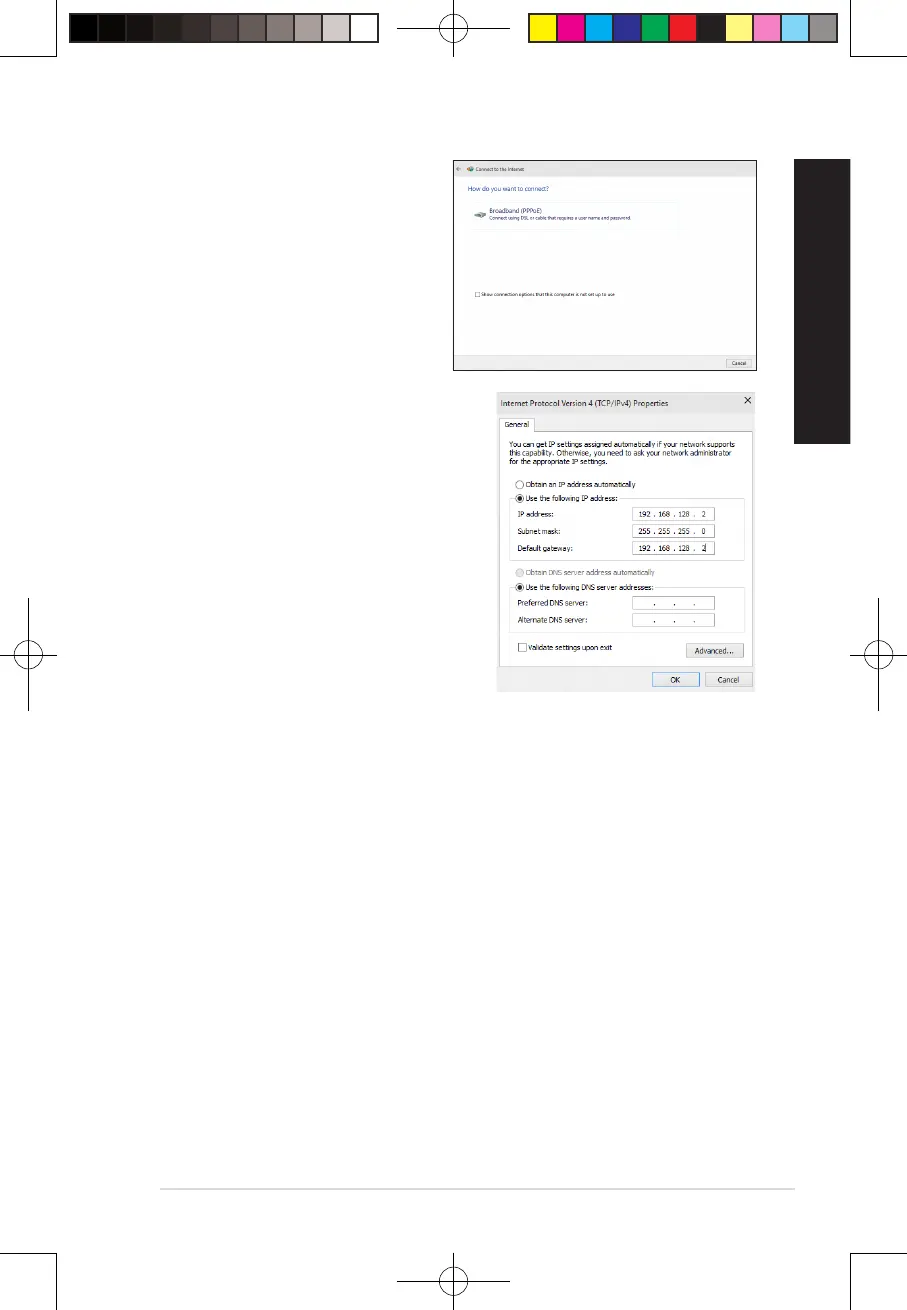
8. Select Broadband (PPPoE) and click
Next.
9. Follow the next onscreen instructions to
complete the setup.
Conguring a static IP network connection
To congure a static IP network connection:
1. Repeat steps 1 to 4 of the previous section.
2 Click Use the following IP address.
3. Enter the IP address, Subnet mask and Gateway
from your service provider.
4. If needed, enter the preferred DNS Server
address and alternative address.
5. When done, click OK.
47
E19621_D500MD_D700MD_UM.indd 47E19621_D500MD_D700MD_UM.indd 47 3/1/2022 2:38:12 PM3/1/2022 2:38:12 PM



 To Next Page