Installing a graphics card in your computer
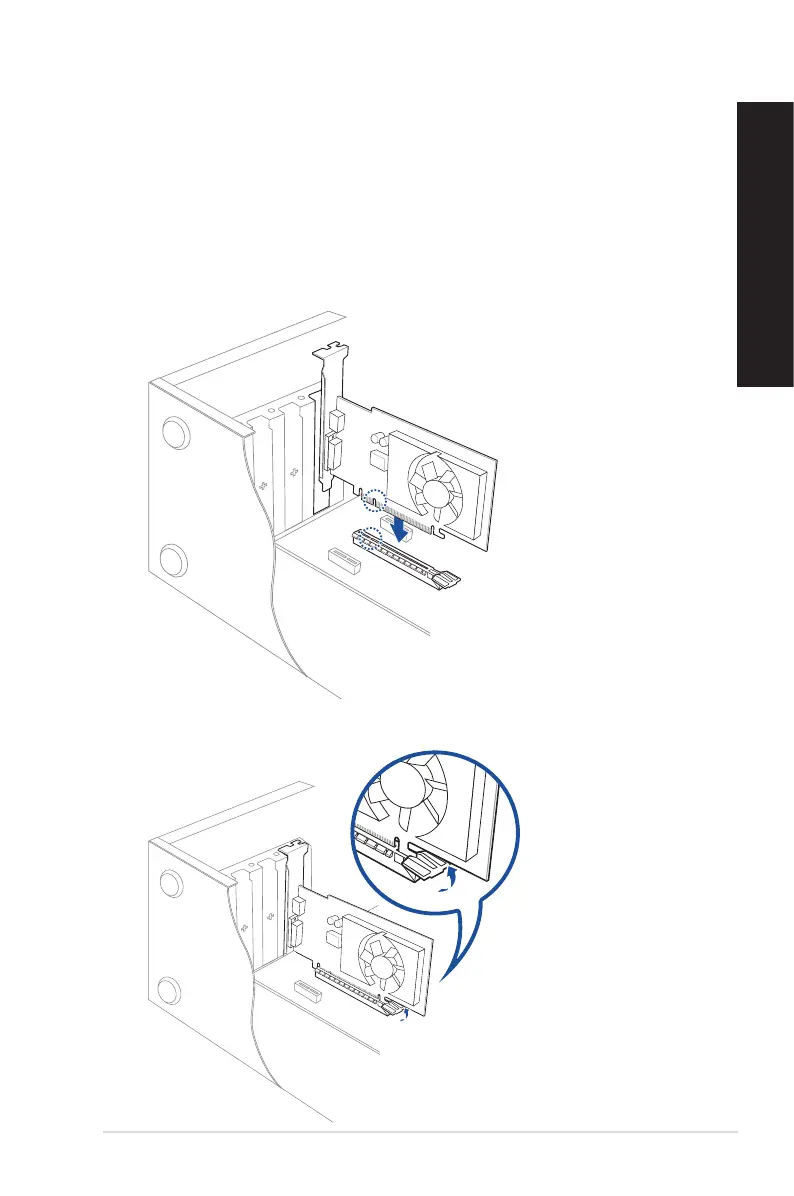
To install a graphics card in your computer:
1. Turn o your computer.
2. Unplug all cables from your computer.
3. Open your computer case and locate PCIEX16 slot.
4. Align the notch on your graphics card with the key of the slot, and then insert the card into
the slot.
5. The ejector will snap back into place automatically.
ASUS Desktop PC 33
ENGLISH
ENGLISH



 To Next Page