8. Install the graphics card.
9. Close your computer case.
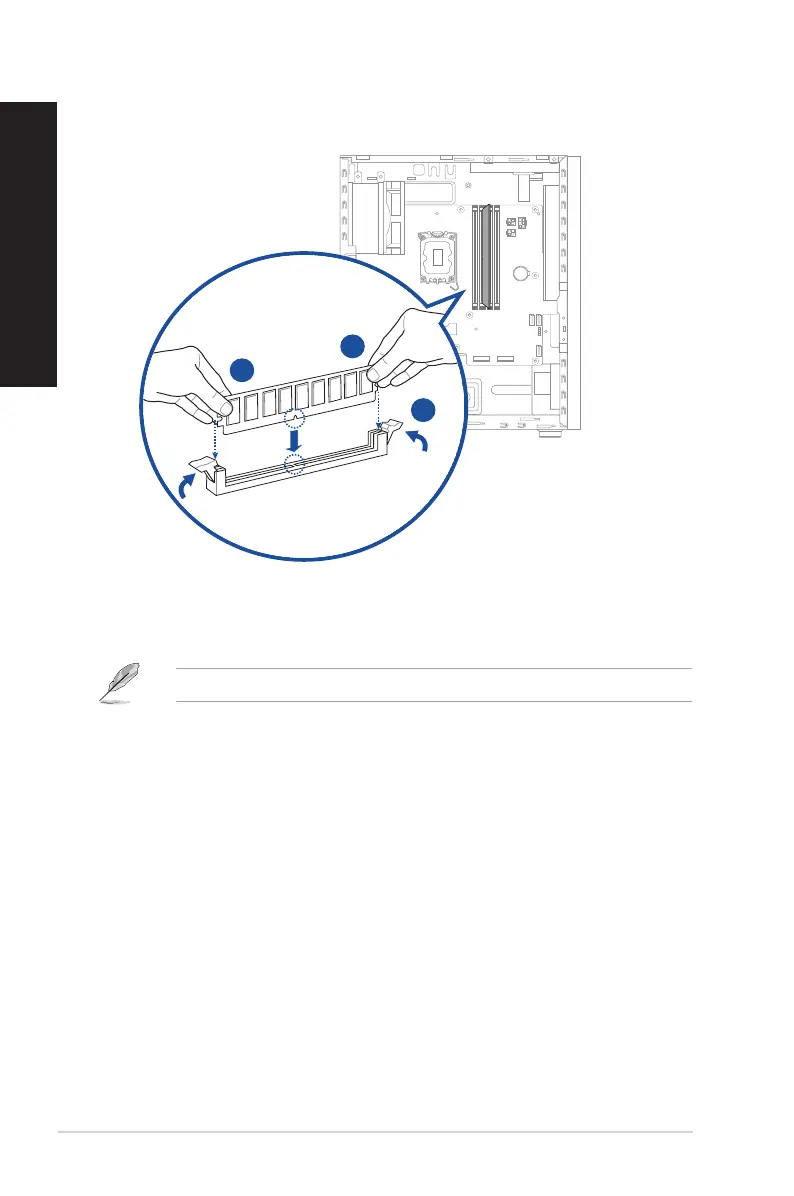
7. Align the notch on the bottom edge of the DIMM with the key of the DIMM socket, and then
rmly insert the DIMM into the socket until the ejector(s) snap(s) back into place.
The above pictures are for reference only. The inner structure of the desktop PC may vary.
32 Chapter 1: Getting started
ENGLISH
ENGLISH



 To Next Page