13
Introducing the Notebook PC 1
Preparing your Notebook PC
These are only quick instructions for using your Notebook PC. Read the later pages for detailed infor-
mation on using your Notebook PC.
1. Install the battery pack
3. Open the Display Panel 4. Turn ON the Notebook PC
2. Connect the AC Power Adapter
Press the power button and release.
(In Windows XP, this button can also be used to
safely turn OFF the Notebook PC.)
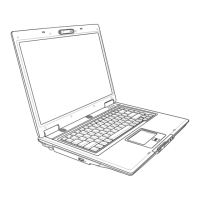
(1) Slide both display panel release latches outwards.
(2) Lift the display panel with both hands while hold-
ing both display panel release latches.
2
1
Auto
Lock
[1]
[1]
[1]
[3]
[2]
[2]
[2]



 To Next Page