34
Notebook PC E-Manual
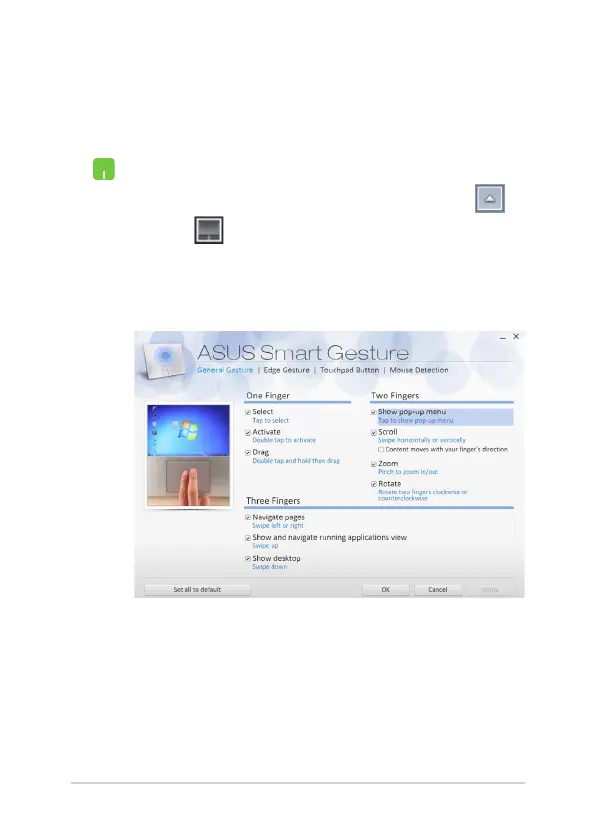
ASUS Smart Gesture
To launch ASUS Smart Gesture:
1. Launch the Desktop app.
2. On the lower-right corner of the taskbar, tap >
to launch ASUS Smart Gesture app.
3. Tick the items you want to enable/disable:
4. Tap Apply then tap OK.


 To Next Page