52
Notebook PC E-Manual
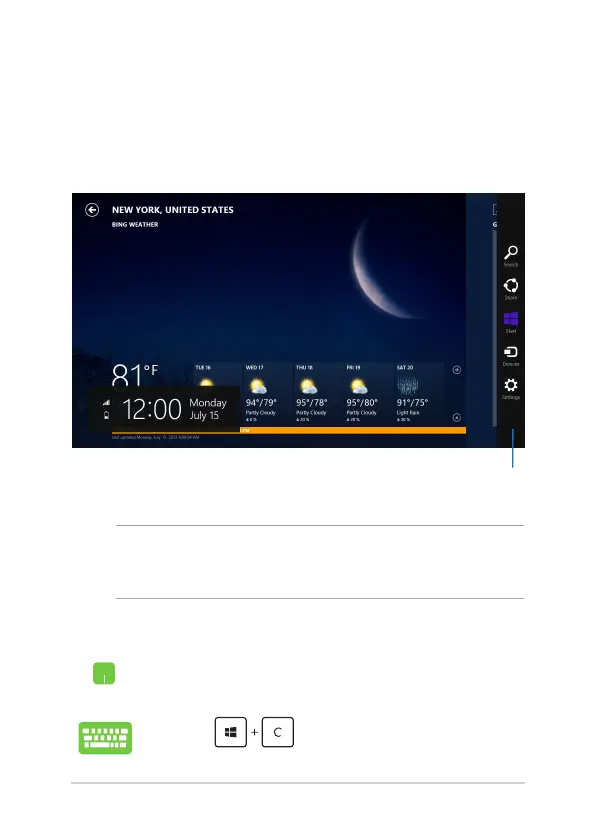
Charms bar
The Charms bar is a toolbar that can be triggered on the right side
of your screen. It consists of several tools that allow you to share
applications and provide quick access for customizing the settings of
your Notebook PC.
Charms bar
Launching the Charms bar
NOTE: When called out, the Charms bar initially appears as a set of
white icons. The image above shows how the Charms bar looks like once
activated.
Use your Notebook PC’s touchpad or keyboard to launch the Charms
bar.
Move your mouse pointer on the upper or lower right
corner of the screen.
Press


 To Next Page