3-12
Chapter 3: Getting Started
LCD + CRT Clone mode only supports a maximum resolution of
1024 x 600 pixels.
Set your Eee PC to High Performance or Super Performance
mode if you want to use a higher resolution with a connected
external monitor.
Connect an external monitor before booting up the Eee PC.
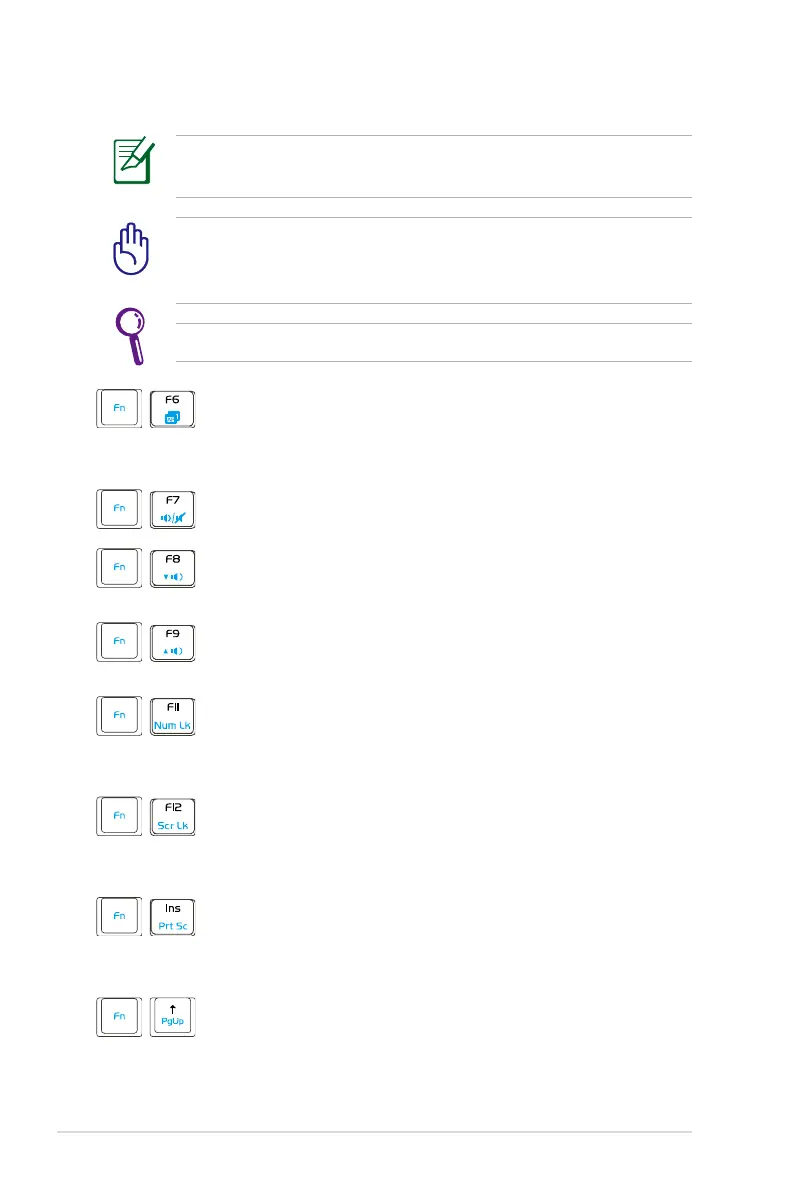
Task Manager Icon (F6): Initiates the Task Manager
to view the application process or terminates
applications.
Crossed Speaker Icon (F7): Mutes the speaker.
Speaker Down Icon (F8): Decreases speaker
volume.
Speaker Up Icon (F9): Increases the speaker
volume.
Num Lk (F11): Toggles the numeric keypad (number
lock) ON and OFF. Allows use of a larger portion
of the keyboard for number entering.
Scr Lk (F12): Toggles the “Scroll Lock” ON and
OFF. Allows you to use a larger portion of the
keyboard for cell navigation.
Prt Sc (Ins): Toggles the “Print Screen” key to
initiate screen capture utility to capture, save, or
print the contents of entire desktop.
Pg Up (
↑
): Press to scroll up in documents or the
web browser.


 To Next Page
 Loading...











