4-20
Chapter 4: Using the Eee PC
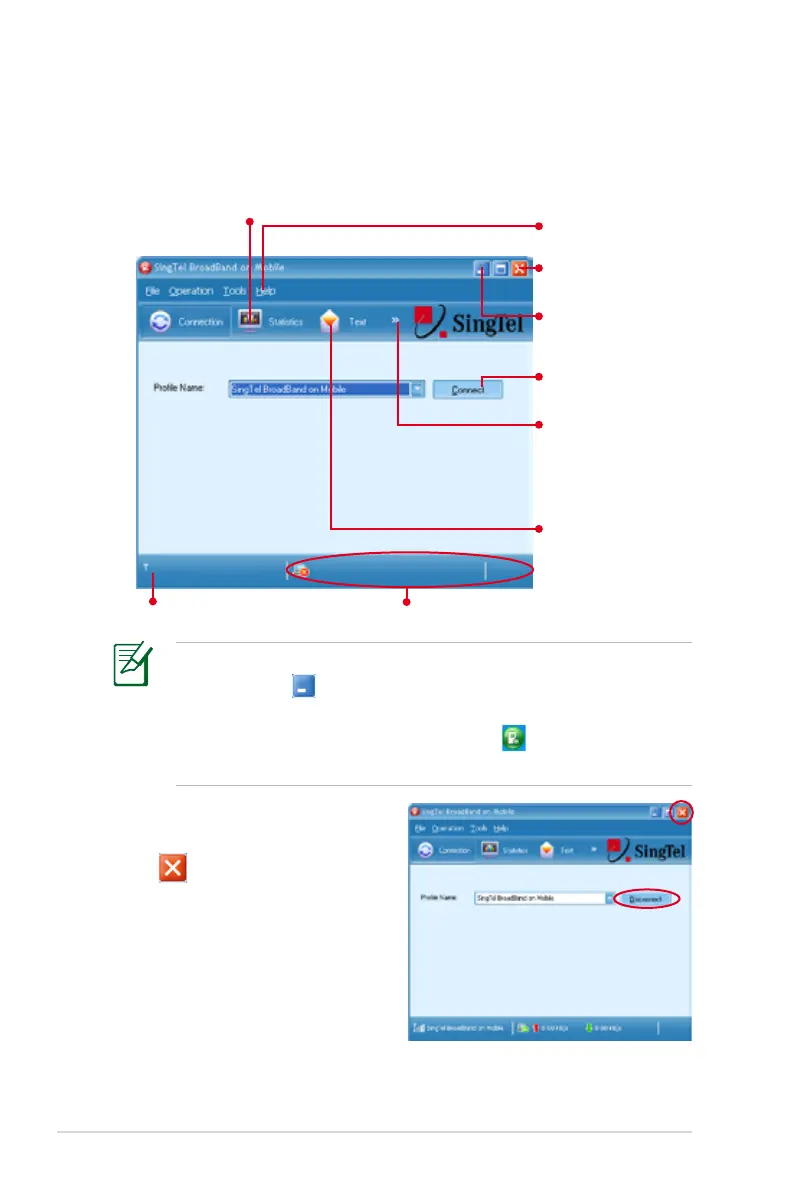
3. In the Mobile Partner window, click Connect to enable 3.5G data
connection.
• The actual data connection speed vary with signal strength.
• If you click to minimize the Mobile Partner window, the
application will hide and run in the background. To open
the Mobile Partner window again, click on the Windows
notification area.
4. To end the 3.5G data
connection, click Disconnect
or in the Mobile Partner
window.
Click to show network connection statistics
Click to show Online
Help
Click to show the
phonebook for adding,
editing, or deleting
local and SIM card
contacts
Click to enable data
connection
Click to edit, send and
receive text messages
Shows signal strength Shows upload/download rate
Click to exit Mobile
Partner
Click to hide the
Mobile Partner main
window















 To Next Page