EB1035 PC
17
English
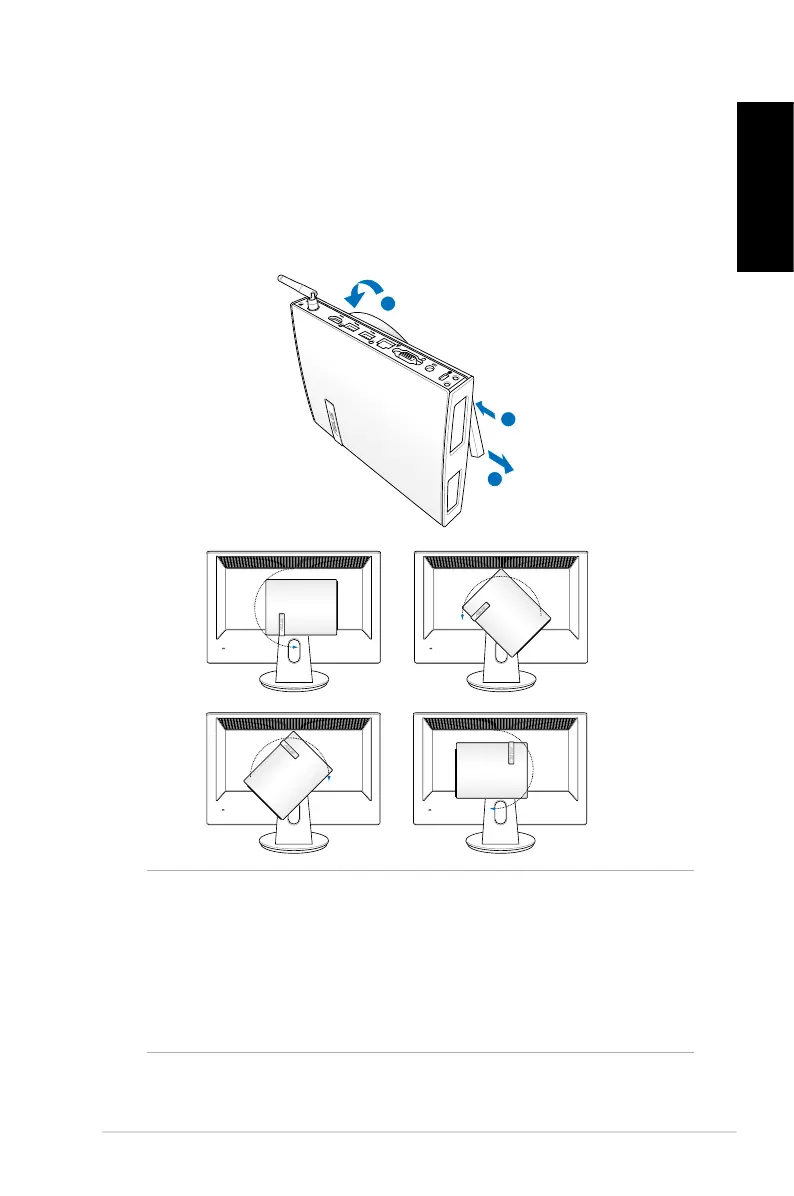
3. The VESA mount is designed for you to rotate the PC so to use
the front and rear I/O ports at convenient angles. To turn the PC
secured in the VESA mount, press the lever switch at the bottom
of the VESA mount to unlock the wheel. Then turn according to
preference.
IMPORTANT!
• Set the rotation wheel upright when the system is in use.
• Please take note of the cables connected to the PC while
operating the rotation wheel. To prevent hazards from
loosened cables, the wheel is designed to rotate no more
than 90° clock/ counterclock-wise.




 To Next Page