EB1035 PC
37
English
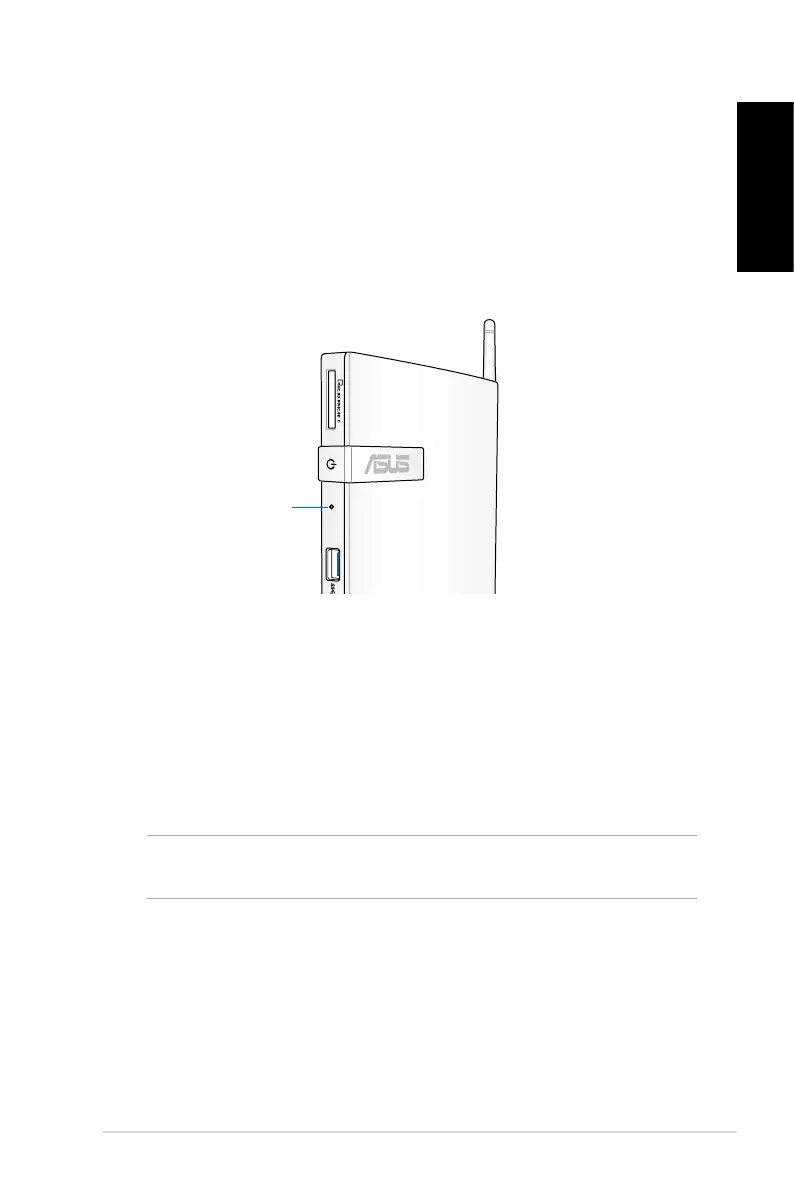
Quickly enter the BIOS
Windows
®
8 boot time is quite fast, so we developed the following
three ways for you to quickly access the BIOS:
• Before booting up the system, insert a straightened paper clip
into the BIOS Reset key.
BIOS Reset key
• Press the power button for at least four seconds to shut down
your PC, then press the power button again to turn your PC back
on, and press <F2> during POST.
• When your PC is o, disconnect the power cord from your PC’s
power connector. Reconnect the power cord and press the
power button to turn on your PC. Press <F2> during POST.
NOTE: POST (Power-On Self Test) is a series of software controlled
diagnostic tests that run when you turn on your PC.




 To Next Page