18
EB1035 PC
English
Using your PC
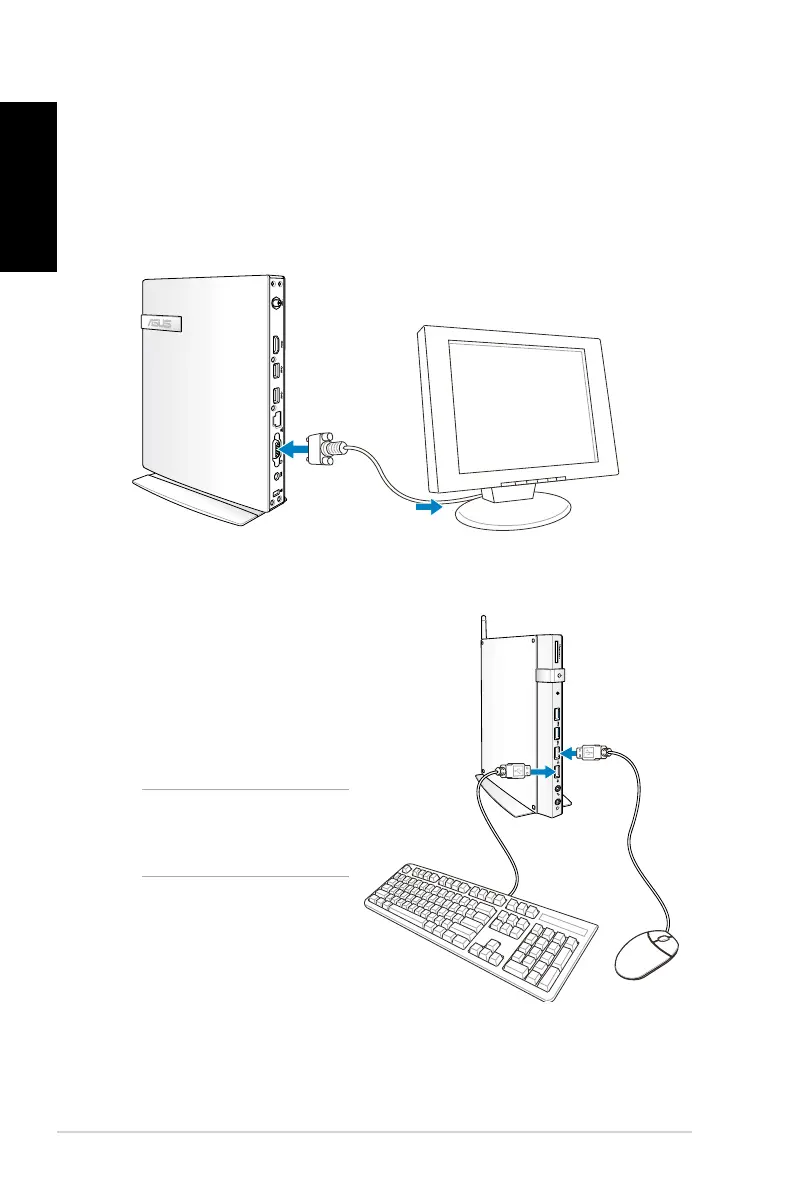
Connecting to an external display
Connect one end of an HDMI or a VGA cable to an external display,
and the other end of the cable to your PC’s HDMI or VGA port.
Connecting to a USB
device
Connect USB devices like
wired/wireless keyboards,
mouse devices, and printers
to the USB ports on your PC.
NOTE: The keyboard
varies with country or
region.




 To Next Page