40
EB1035 PC
English
Conguring a dynamic IP / PPPoE network connection
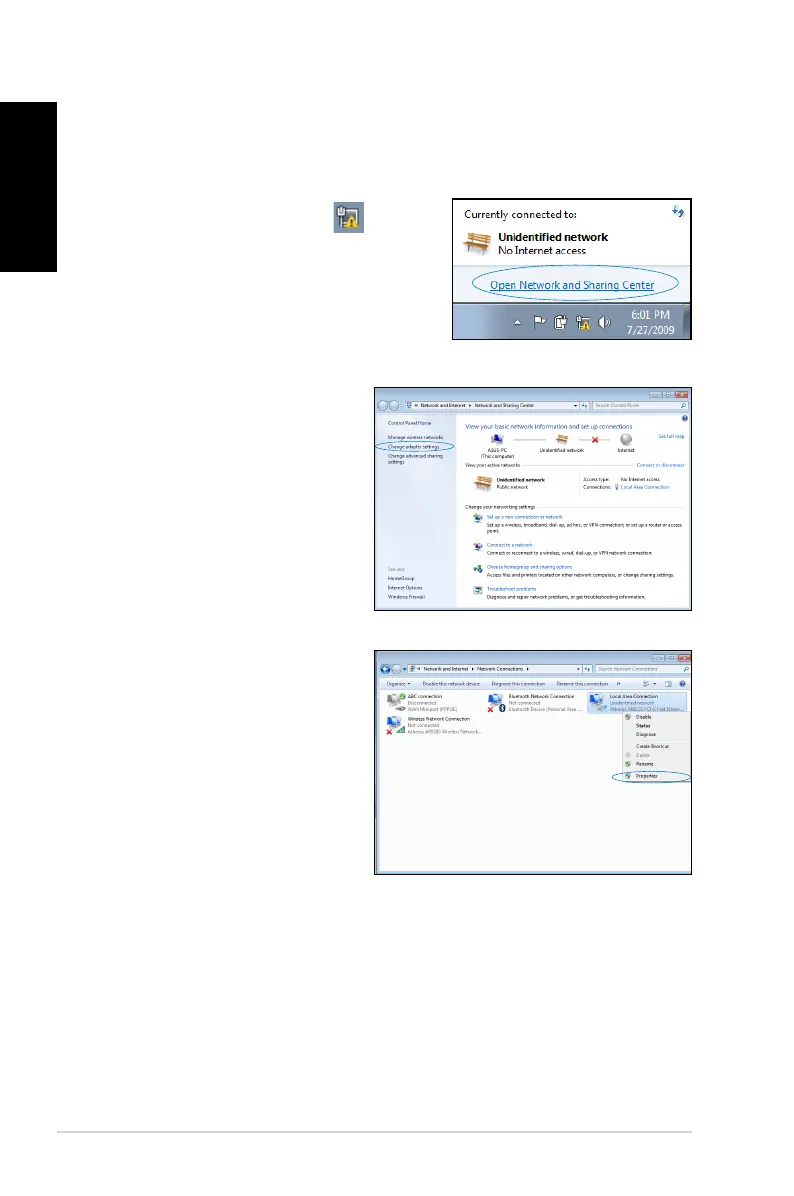
To congure a dynamic IP/PPPoE network connection:
1. Click the network icon
in the
Windows® Notication area and
select Open Network and Sharing
Center.
2. Click Change adapter
settings in the left blue
pane.
3. Right-click
Local Area
Connection and select
Properties.




 To Next Page