31
Getting Started 3
Switches (Cont.)
Switches and Status Indicators
ASUS F5 ENTERTAINMENT SYSTEM
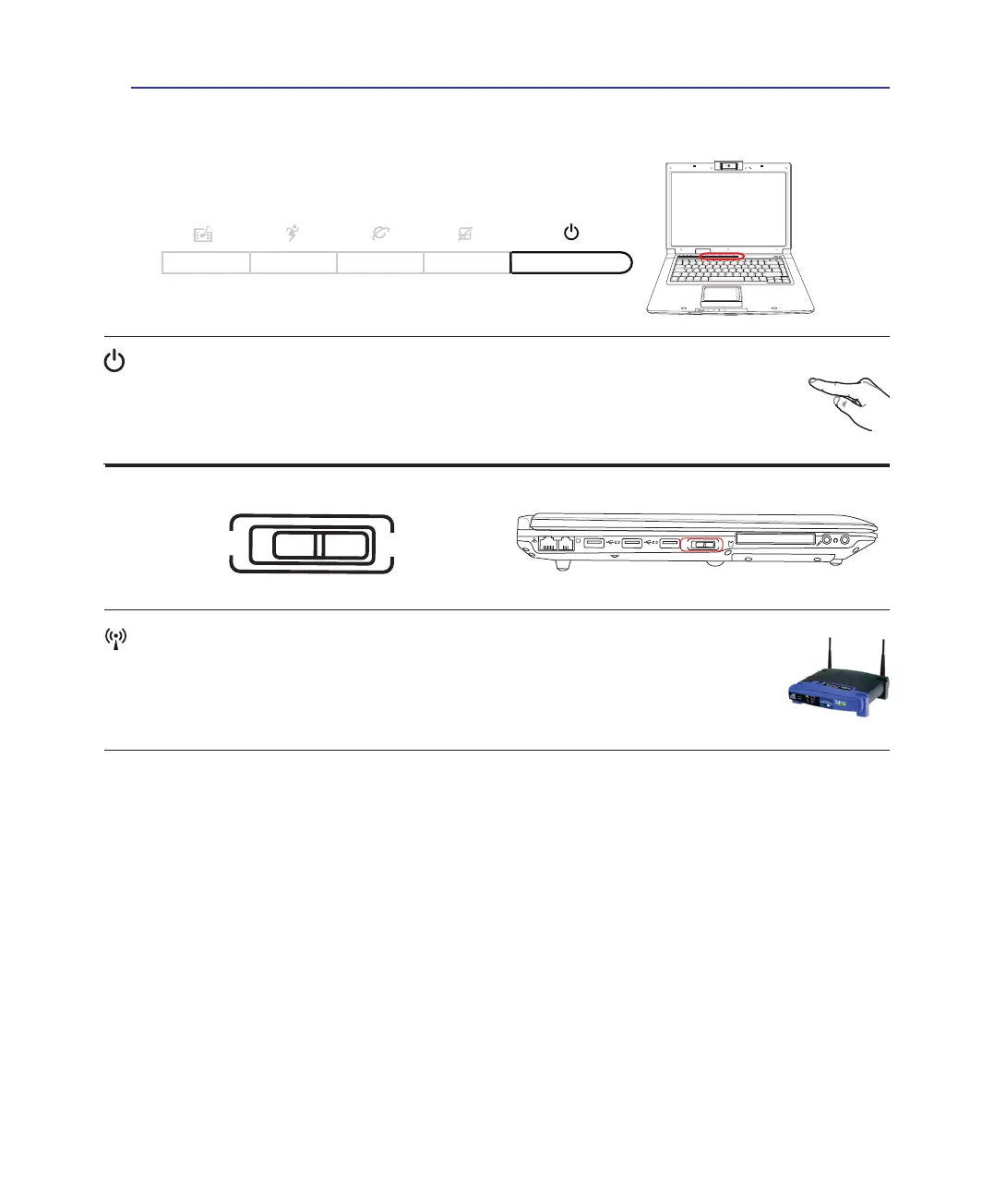
Power Switch
The power switch allows powering ON and OFF the Notebook PC and recovering from
STD. Use the switch once to turn ON and once to turn OFF the Notebook PC. In Windows
XP, this button can also be used to safely turn OFF the Notebook PC. The power switch only
works when the display panel is opened.
Wireless Switch
Wireless Models Only: Toggles the internal wireless LAN or Bluetooth (on selected
models) ON or OFF with an on-screen-display. When enabled, the corresponding wireless
indicator will light. Windows software settings are necessary to use the wireless LAN or
Bluetooth.


 To Next Page