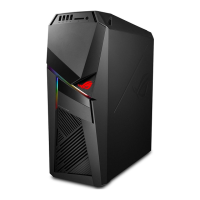
Front
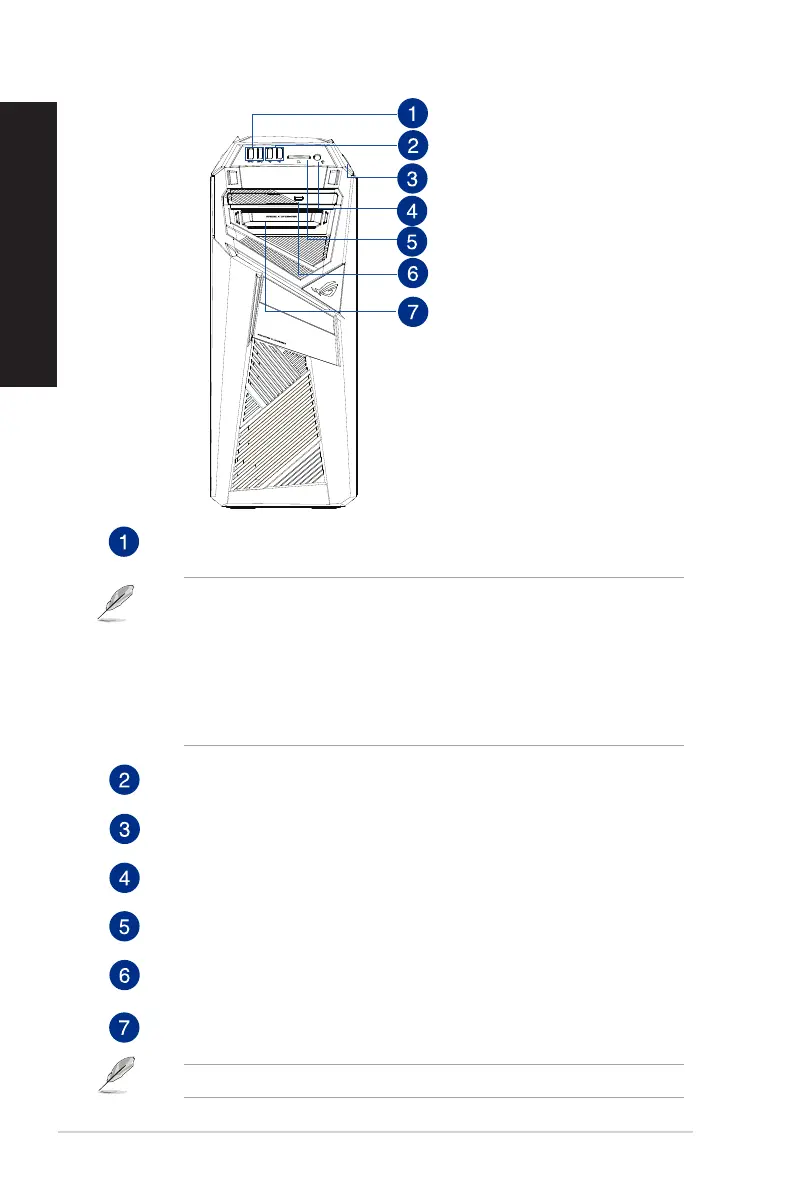
USB 3.1 gen1 port. The Universal Serial Bus 3.1 gen1 (USB 3.1 gen1) port connects to
USB 3.1 gen1 devices such as a mouse, printer, scanner, camera, PDA, and others.
• DONOTconnectakeyboard/mousetoanyUSB3.1gen1portwheninstallingWindows
®
operating system.
• DuetoUSB3.1gen1controllerlimitations,USB3.1gen1devicescanonlybeusedundera
Windows
®
OS environment and after USB 3.1 gen1 driver installation.
• USB3.1gen1devicescanonlybeusedasdatastorageonly.
• WestronglyrecommendthatyouconnectUSB3.1gen1devicestoUSB3.1gen1portsfor
faster and better performance for your USB 3.1 gen1 devices.
USB 2.0 ports. These Universal Serial Bus 2.0 (USB 2.0) ports connect to USB 2.0 devices
such as a mouse, printer, scanner, camera, PDA, and others.
Power button. Press this button to turn on your computer.
Headphone port. This port connects to a headphone or speaker. Supported by ASUS
Audio Wizard.
Secure Digital™ (SD) / Memory Stick (MS) card slot. Insert a supported memory card
into this slot.
Optical disk drive bay. There is an optical disk drive in this bay (optional).
Easy swappable Solid State Drive (SSD) module. There is an easy swappable SSD
module in this bay.
You can only use the 7mm SSD in this module.
14 Chapter 1: Getting started
ENGLISH
ENGLISH


 To Next Page