47
Using the Notebook PC 4
WARNING! Only use analog telephone outlets. The built-in modem does not support
the voltage used in digital phone systems. Do not connect the RJ-11 to digital phone
systems found in many commercial buildings or else damage will occur!
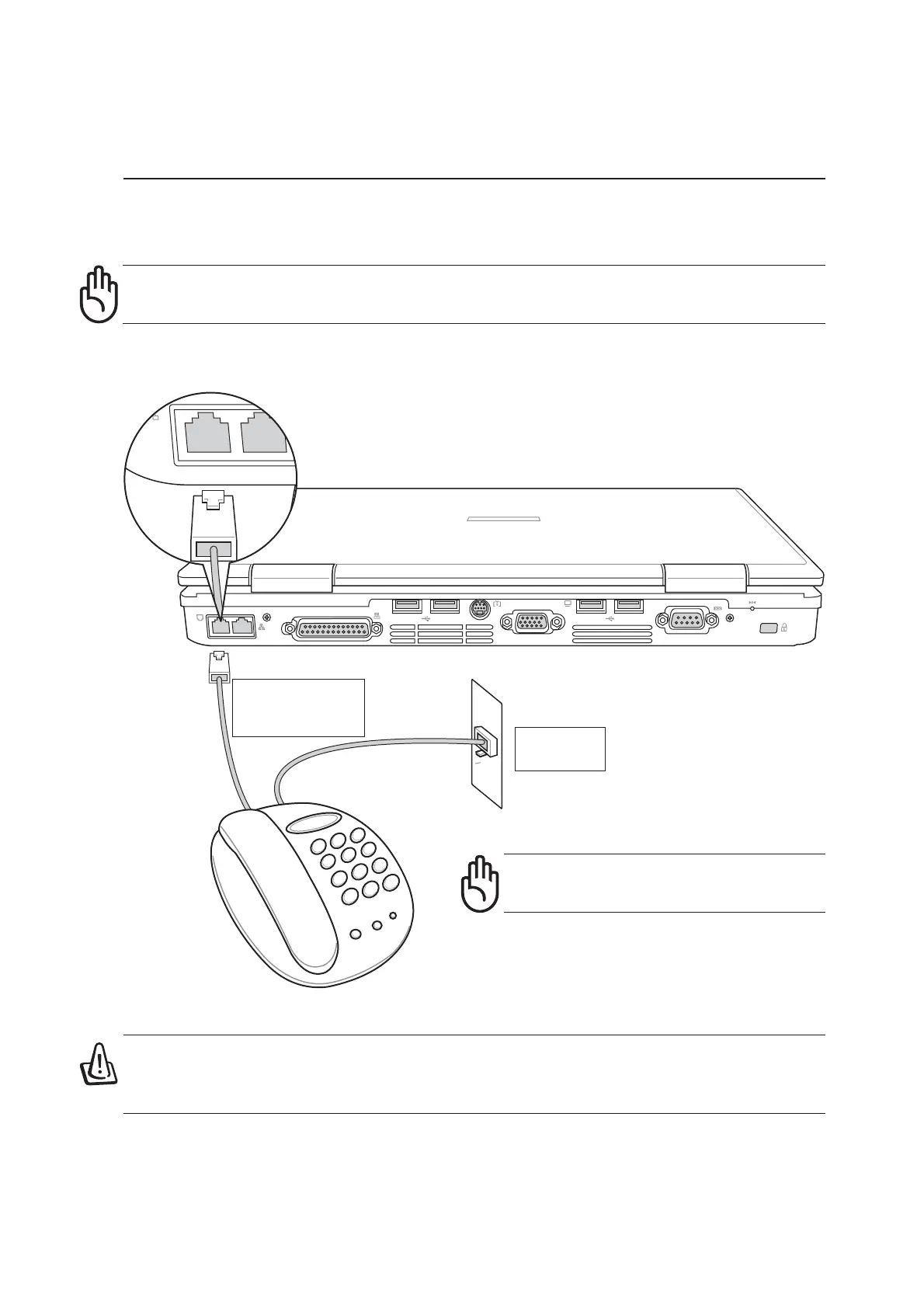
Modem Connection Example
This is an example of the Notebook PC connected to a telephone jack for use with the built-in modem.
CAUTION: For electrical safety concerns, only use telephone cables rated 26AWG or
higher. (see Glossary for more information)
Telephone cable
with RJ-11
connectors
Telephone
Wall Jack
CAUTION: DO NOT use the modem
during an electrical storm.



 To Next Page