59
Appendix A
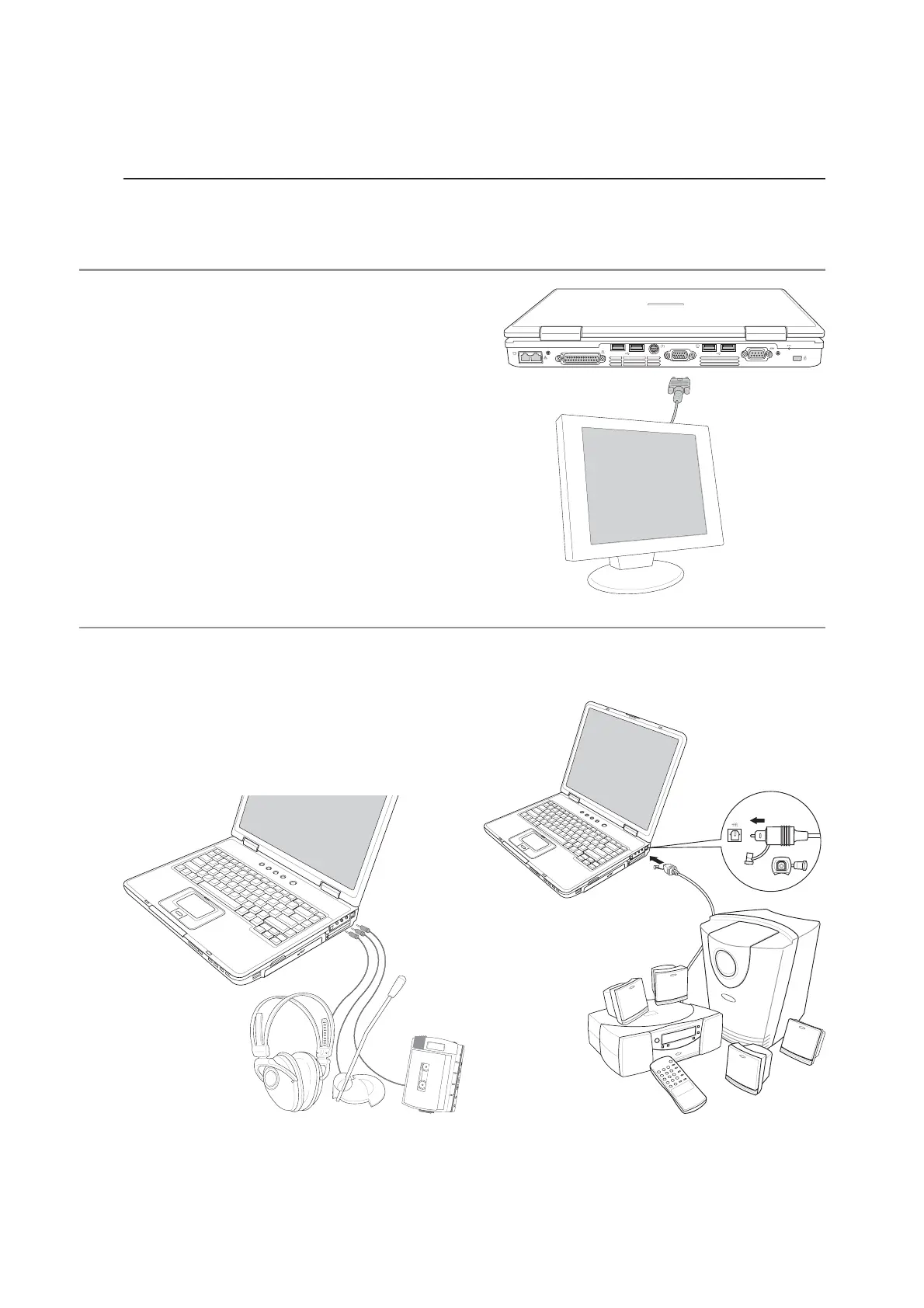
Monitor Out Connection
Attaching an optional VGA/LCD monitor is just
like that of a standard desktop PC (some configu-
rations may require additional display driver set-
tings. You can view the Notebook PC display panel
while simultaneously allowing others to view the
external monitor. For large audiences, try you can
connect a video projector to this port.
Optional Connections
These items, if desired, may be purchased from third-parties.
External Audio Connections
The Notebook PC provides easy access for con-
necting a stereo headphone or multichannel am-
plifier, mono microphone, and a stereo audio source
just like on many personal audio equipment.
SPDIF Audio Jack



 To Next Page