ENGLISH
ENGLISH
ASUS M51BC 39
Chapter 4
Connecting devices to your computer
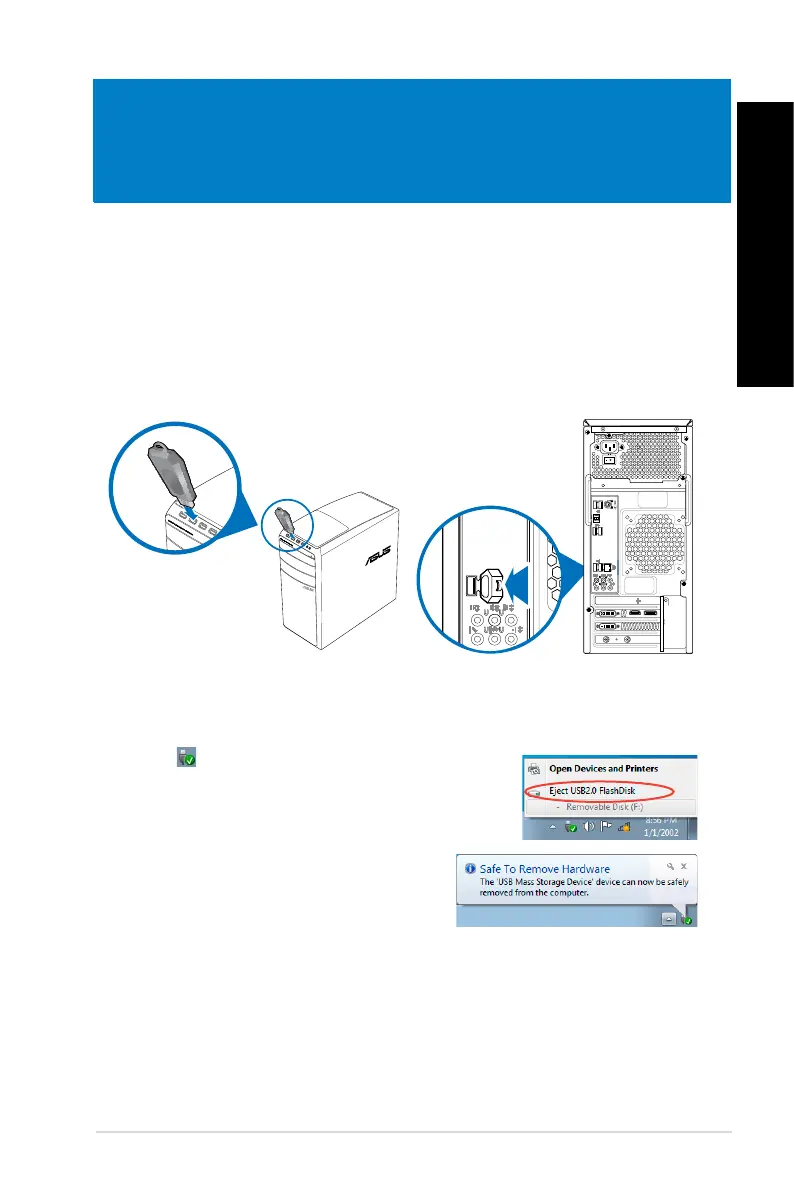
Front panel
Rear panel
Connecting a USB storage device
This desktop PC provides USB 2.0/1.1 and USB 3.0 ports on both the front and rear panels.
The USB ports allow you to connect USB devices such as storage devices.
To connect a USB storage device:
• Insert the USB storage device to your computer.
To remove a USB storage device on Windows
®
7:
1. Click
from the Windows notication area on your
computer, then click Eject USB2.0 FlashDisk or Eject
USB3.0 FlashDisk if you are using the USB3.0 ash drive
or USB3.0-compatible devices.
2. When the
Safe to Remove Hardware message
pops up, remove the USB storage device from
your computer.


 To Next Page