ASUS M51BC 61
ENGLISH
ENGLISH
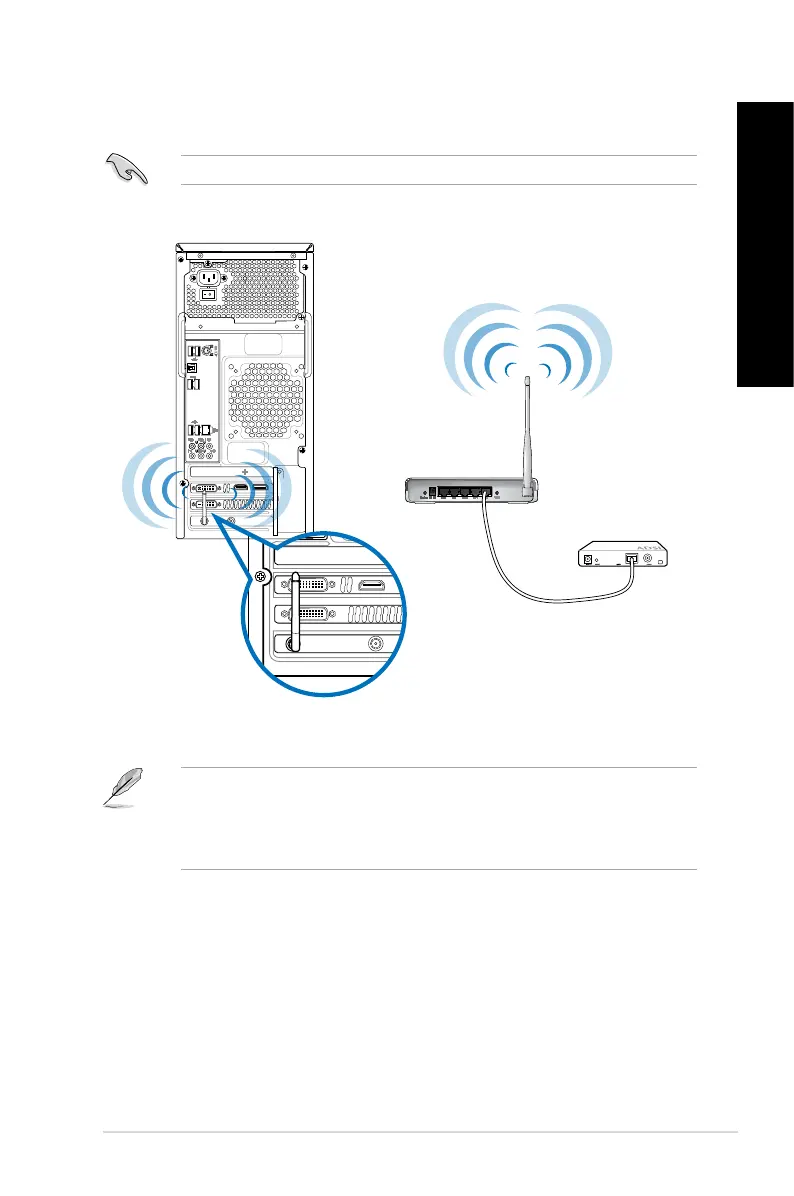
Wi-Fi connection (on selected models only)
Connect your computer to the Internet through a wireless connection.
• To increase the range and sensitivity of the wireless radio signal, connect the external
antennas to the antenna connectors on the ASUS WLAN Card.
• Place the antennas on the top of your computer for the best wireless performance.
• The external antennas are optional items.
To establish a Wi-Fi connection, you need to connect to a wireless access point (AP).
SPDIF OUT
Wireless AP
Modem


 To Next Page