ASUS M51BC 57
ENGLISH
ENGLISH
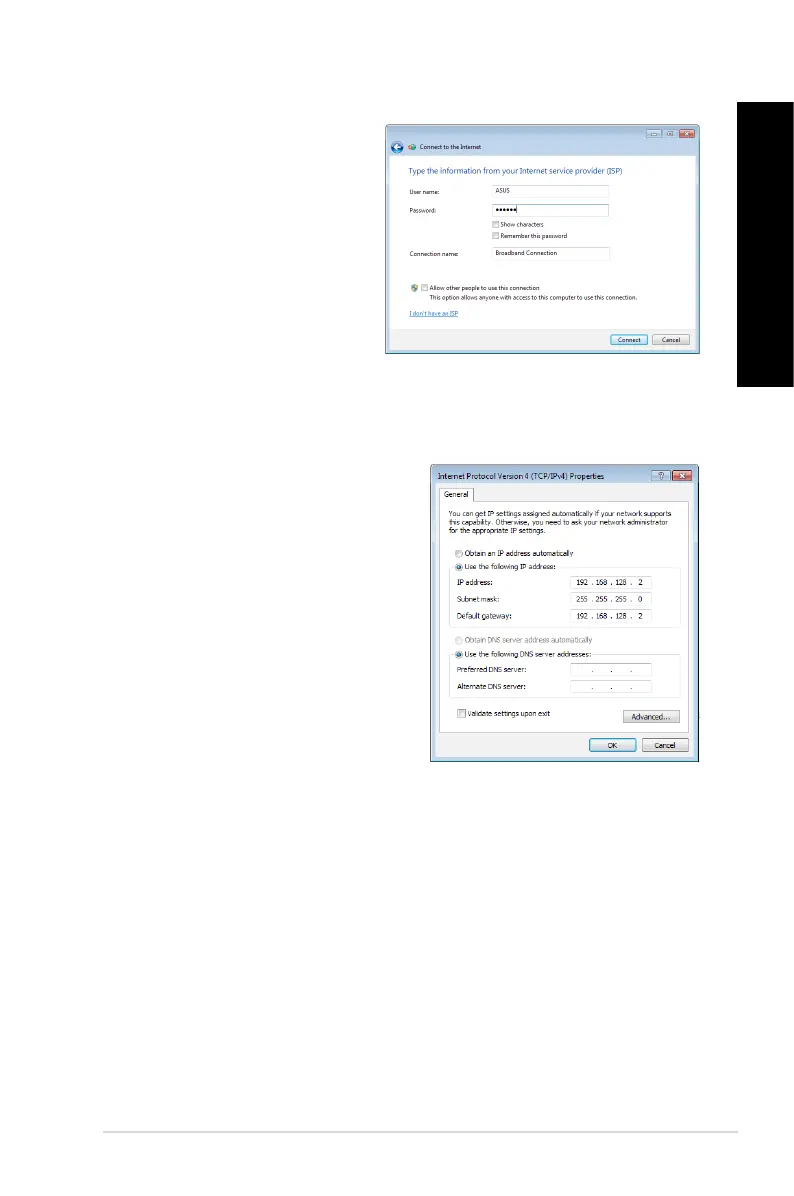
11. Enter your User name and,
Password, and Connection name.
Click Connect.
12. Click
Close to nish the
conguration.
13. Click the network icon in the taskbar
and click the connection you just
created.
14. Enter your user name and
password. Click Connect to
connect to the Internet.
Conguring a static IP network connection
To congure a static IP network connection :
1. Repeat steps 1 to 4 of the previous section.
2 Click
Use the following IP address.
3. Enter the IP address, Subnet mask and
Gateway from your service provider.
4. If needed, enter the preferred DNS Server
address and alternative address.
5. When done, click
OK.


 To Next Page