Need help?
Do you have a question about the Asus MX279H and is the answer not in the manual?
Device compliance with FCC Part 15 rules on interference and operation conditions.
Digital apparatus compliance with Canadian Class B limits for radio noise emissions.
Explains symbols like WARNING, CAUTION, IMPORTANT, and NOTE for user guidance.
Provides updated information on ASUS hardware and software products via the official website.
Documents that may be included by the dealer, not part of the standard package.
Identifies and explains the function of each button and indicator on the monitor's front panel.
Details the ports and connectors located on the rear of the monitor.
Allows preview of document/photo layouts on-screen in real size without printing test copies.
Step-by-step instructions for attaching the monitor base to the stand securely.
Instructions for safely removing the monitor base from the stand.
Guidance on how to tilt the monitor for optimal viewing comfort.
Instructions for connecting audio, HDMI, VGA, and power cables to the monitor.
Procedure for powering on the monitor and checking the power indicator status.
Step-by-step guide on navigating and changing settings within the On-Screen Display menu.
Overview of the Splendid function and its six sub-functions for image display.
Adjusts Brightness, Contrast, Saturation, Color Temp., and Skin Tone for image quality.
Adjusts Sharpness, Trace Free, Aspect Control, ASCR, Position, and Focus for image display.
Allows selection of the active video input source (VGA, HDMI1, HDMI2).
Configures Splendid Demo Mode, Volume, ECO Mode, OSD, Language, and All Reset.
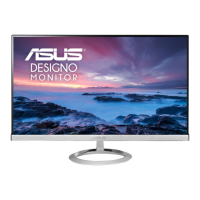
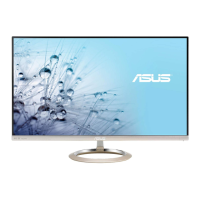
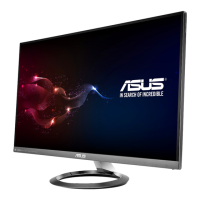
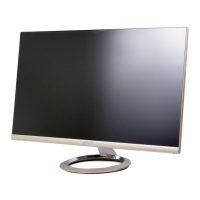
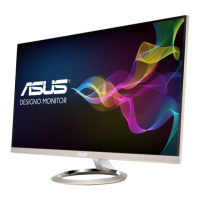
The ASUS MX279 LCD Monitor is a widescreen display designed to provide a crisp, broad, and bright viewing experience with a host of features. It is intended for general use, including document editing, movie watching, gaming, and photo viewing.
The monitor's primary function is to display video signals from connected devices such as computers, game consoles, DVD players, and other consumer video devices. It supports full HD video content (480p, 576p, 720p, 1080i/p) via HDMI.
The monitor features an On-Screen Display (OSD) menu that allows users to reconfigure various settings. The OSD menu is accessed by pressing the MENU button. Navigation through the menu and sub-menus is done using the directional buttons ( / and /▲), and selections are confirmed with the MENU button. Settings can be changed using the same directional buttons. To exit the OSD menu, the S button is pressed.
A key feature of the monitor is the SPLENDID™ Video Intelligence Technology, which offers six video preset modes: Scenery Mode, Standard Mode, Theater Mode, Game Mode, Night View Mode, and sRGB. These modes are accessible via a hotkey (S/A button) and are designed to optimize the display for different content types. Each mode includes a Reset option to revert to preset settings. In Standard Mode, Saturation, Skin Tone, Sharpness, and ASCR functions are not user-configurable. Similarly, in sRGB mode, Brightness, Contrast, Saturation, Color Temp., Skin Tone, Sharpness, and ASCR functions are not user-configurable.
The monitor also includes a QuickFit function, which allows users to preview document or photo layouts directly on screen without needing to print test copies. This function offers three patterns: Grid pattern, Paper size (A4 and Letter), and Photo size (4x6, 3x5, 2x2, 8x10, 5x7). QuickFit is activated by repeatedly pressing its dedicated hotkey. When active, control buttons can be used for adjustments, with an OSD in the lower right corner guiding selections.
Connectivity options include two HDMI ports for HDMI-compatible devices, a VGA port for PC VGA connections, an Audio-in port for PC audio sources, and an earphone jack for connecting earphones. There is also a DC-in port for the power adapter and a Kensington Lock slot for security. The Input Select button allows users to choose the desired input source when multiple video cables are connected.
The monitor is designed for ease of use and offers several features to enhance the viewing experience:
Proper care and maintenance are essential for the longevity and optimal performance of the monitor:
 General
| Color | silver |
|---|---|
| Screen Type | led |
| Tiltable | yes |
| OS Compatibility | windows |
| Screen Size | 27 inches |
| Aspect Ratio | 16:9 |
| Resolution | 1920 x 1080 |
| Refresh Rate | 60hz |
| Response Time | 5 milliseconds |
| Brightness | 250 candela per square meter |
| Contrast Ratio | 80, 000, 000:1 |
| Horizontal Scan Rate | 80 kilohertz |
| Built-In Speakers | yes |
| Power Consumption | 37 watts |
| Width with Stand | 24.5 inches |
| Net Weight without Stand | 11.5 pounds |

 To Next Page