33
Getting Started 3
Switches
Switches and Status Indicators
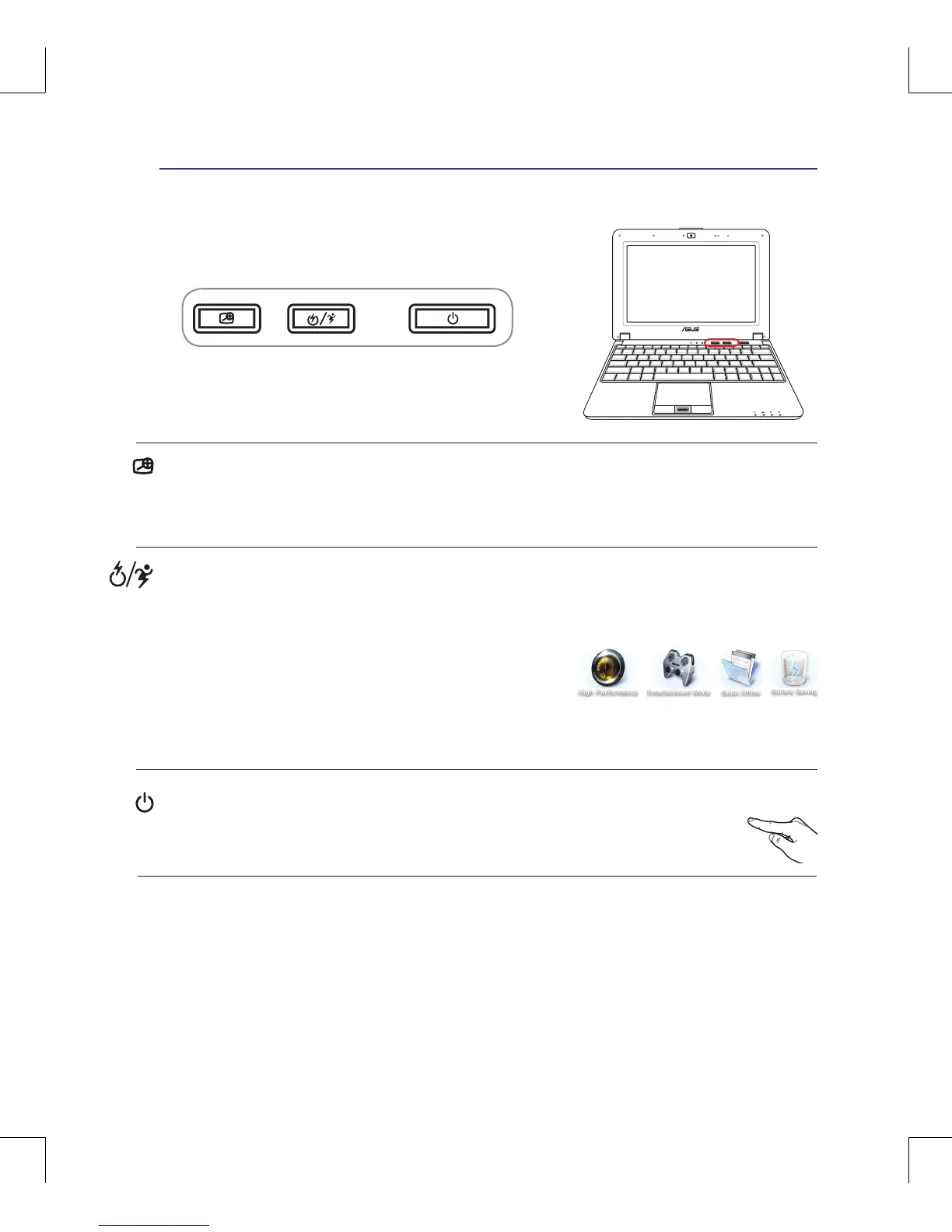
Power Switch
The power switch turns ON and OFF the Notebook PC or putting the Notebook PC into
sleep or hibernation modes. Actual behavior of the power switch can be customized in
Windows Control Panel “Power Options.”
Express Gate/ Power4Gear eXtreme Key
Pressing this button will launch Express Gate when the Notebook PC is powered off. Refer to the Ex-
press Gate User’s Manual for details.
The Power4Gear eXtreme key toggles power savings between
various power saving modes. The power saving modes control
many aspects of the Notebook PC to maximize performance
versus battery time. Applying or removing the power adapter
will automatically switch the system between AC mode and battery mode. The selected mode is shown
on the display.
Magnier Key
Pressing this key activates the magnier function. You can have a clearer view when editing a docu-
ment, browsing a web page or wherever you place the pointer. Press the magnier key repeatedly to
change the zoom size.



 To Next Page