Need help?
Do you have a question about the Asus P11C-M/4L and is the answer not in the manual?
Highlights key technologies and features of the motherboard.
Essential precautions before installing motherboard components.
Provides a general overview of the motherboard and its layout.
Guides on installing the CPU, heatsink, and fan assembly.
Step-by-step guide for initial system startup.
Information on utilities for BIOS management and updates.
Utility for creating and managing RAID volumes.
Step-by-step guide to create a RAID volume.
Procedure for installing RAID drivers during OS setup.
Precautions regarding electrical hazards.
Guidelines for safe handling and operation of the motherboard.
 General
| ECC | Yes |
|---|---|
| Memory channels | Dual-channel |
| Memory slots type | DIMM |
| Number of memory slots | 4 |
| Supported memory types | DDR4-SDRAM |
| Maximum internal memory | 64 GB |
| Supported memory clock speeds | 2400, 2666 MHz |
| Processor socket | LGA 1151 (Socket H4) |
| Processor manufacturer | Intel |
| Compatible processor series | Intel Celeron, Intel Core i3, Intel Pentium, Intel Xeon |
| USB 2.0 connectors | 1 |
| Number of SATA III connectors | 6 |
| USB 3.2 Gen 2 (3.1 Gen 2) connectors | 0 |
| USB 2.0 ports quantity | USB 2.0 ports have a data transmission speed of 480 Mbps, and are backwards compatible with USB 1.1 ports. You can connect all kinds of peripheral devices to them. |
| USB 3.2 Gen 1 (3.1 Gen 1) Type-A ports quantity | 2 |
| Component for | PC |
| Motherboard chipset | Intel C242 |
| Audio output channels | - channels |
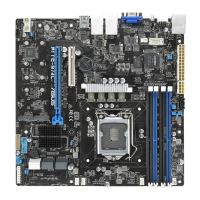
| Motherboard form factor | micro ATX |
| BIOS type | - |
| Graphics card | AST2500 |
| Storage temperature (T-T) | 10 - 35 °C |
| Operating temperature (T-T) | -40 - 70 °C |
| Operating relative humidity (H-H) | 20 - 90 % |
| LAN controller | Intel® I210-AT |
| Harmonized System (HS) code | 84733020 |
 Weight and Dimensions
| Width | 244 mm |
|---|

 To Next Page