4-12
第四章:BIOS 程式設定
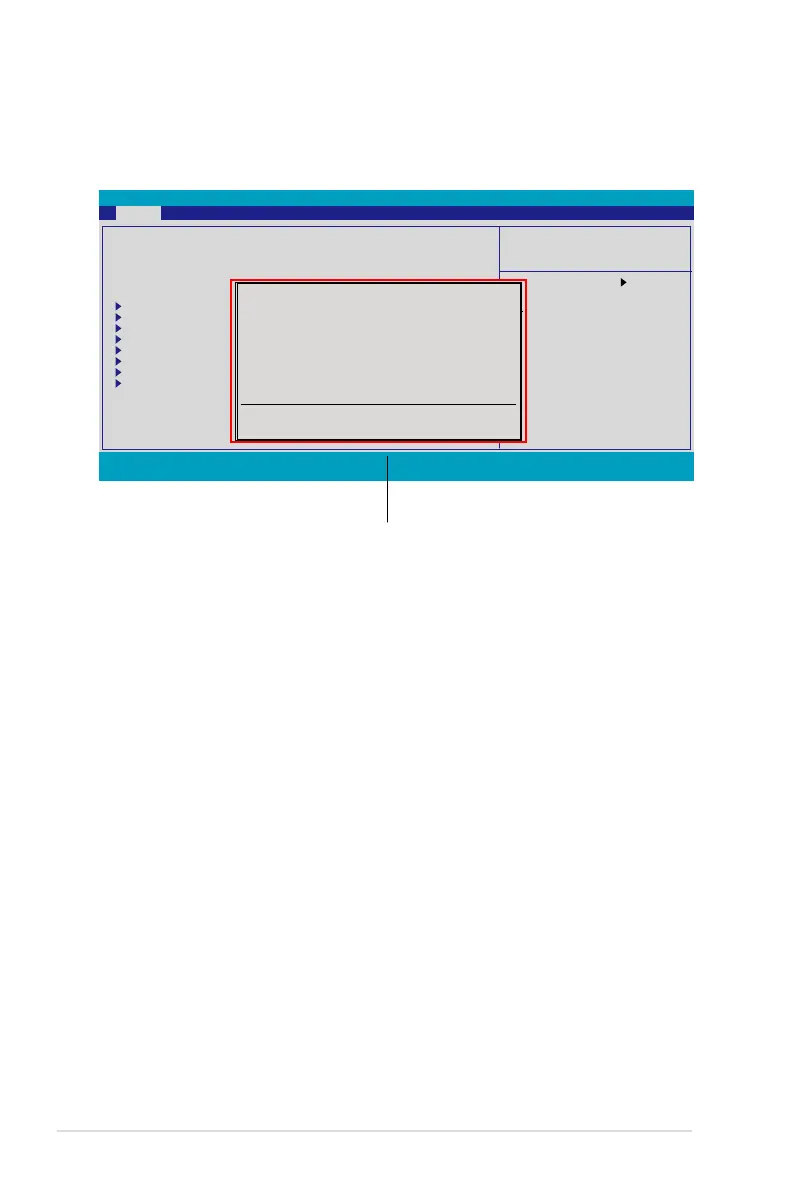
4.2.7 設定視窗
在選單中選擇功能項目,然後按下 [Enter] 鍵,程式將會顯示包含此功能所
提供的選項小視窗,您可以利用此視窗來設定您所想要的設定。
4.2.8 線上操作說明
在選單畫面的右上方為目前所選擇的作用選項的功能說明,此說明會依選
項的不同而自動變更。
設定視窗
Phoenix-Award BIOS CMOS Setup Utility
Main Extreme Tweaker Advanced Power Boot Tools Exit
Select Menu
Item Specic Help
Species the capacity and
physical size of diskette
drive A.
System Time 15 : 30 : 36
System Date Thu, Apr 6 2006
Language [English]
Legacy Diskette A: [1.44M, 3.5 in.]
Primary IDE Master [ST321122A]
Primary IDE Slave [ASUS CDS520/A]
SATA1 [None]
SATA2 [None]
SATA3 [None]
SATA4 [None]
SATA5 [None]
SATA6 [None]
HDD SMART Monitoring [Disabled]
Installed Memory 512MB
Usable Memory 512MB
Legacy Diskette A:
Disabled ..... [ ]
720K , 3.5 in. ..... [ ]
1.44M, 3.5 in. ..... [ ]
↑↓
:Move ENTER:Accept ESC:Abort
F1:Help
↑↓
: Select Item -/+: Change Value F5: Setup Defaults
ESC: Exit
→←
: Select Menu Enter: Select SubMenu F10: Save and Exit








 To Next Page