ASUS P7P55D-E Premium 5-7
Chapter 5
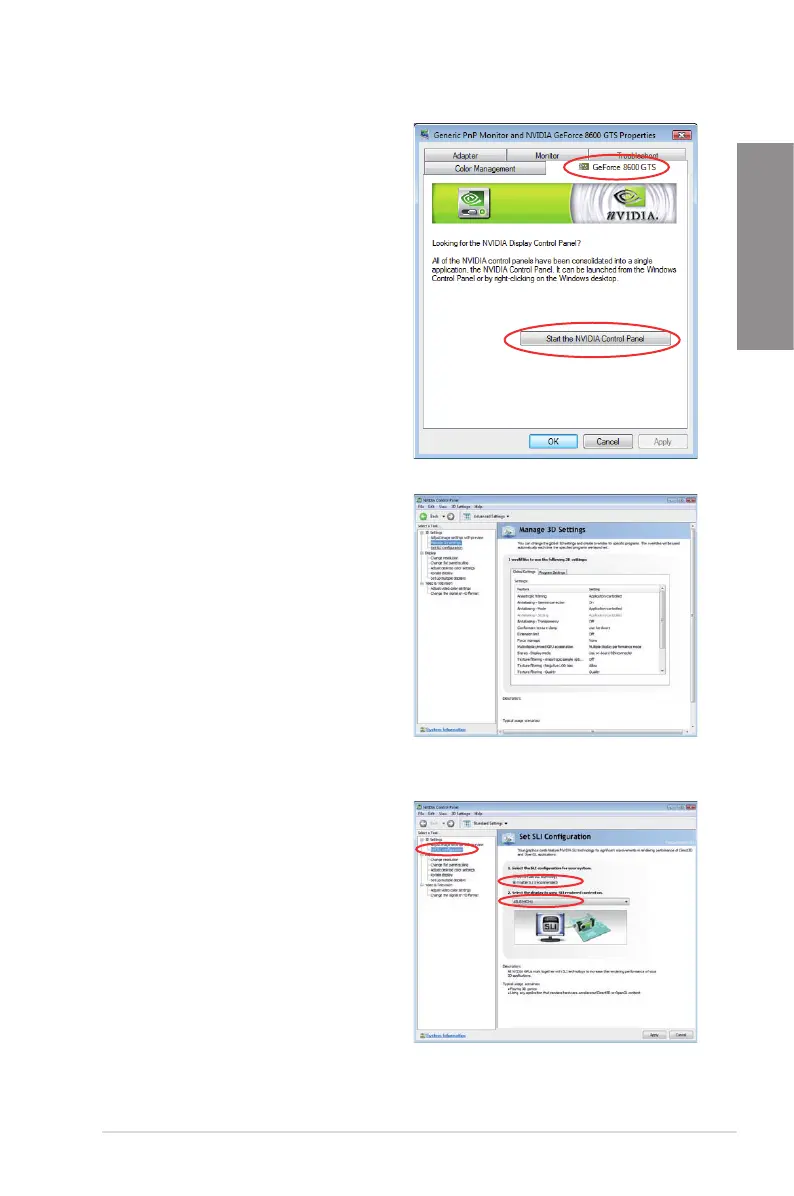
B4. Select the NVIDIA GeForce tab, and
then click Start the NVIDIA Control
Panel.
B5. The NVIDIA Control Panel window
appears.
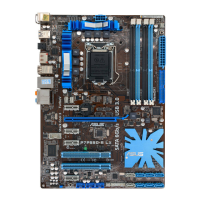
Enabling SLI settings
From the NVIDIA Control Panel window, select
Set SLI Conguration. Click Enable SLI
and set the display for viewing SLI rendered
content. When done, click Apply.


 To Next Page