2-6 Chapter 2: Hardware information
Chapter 2
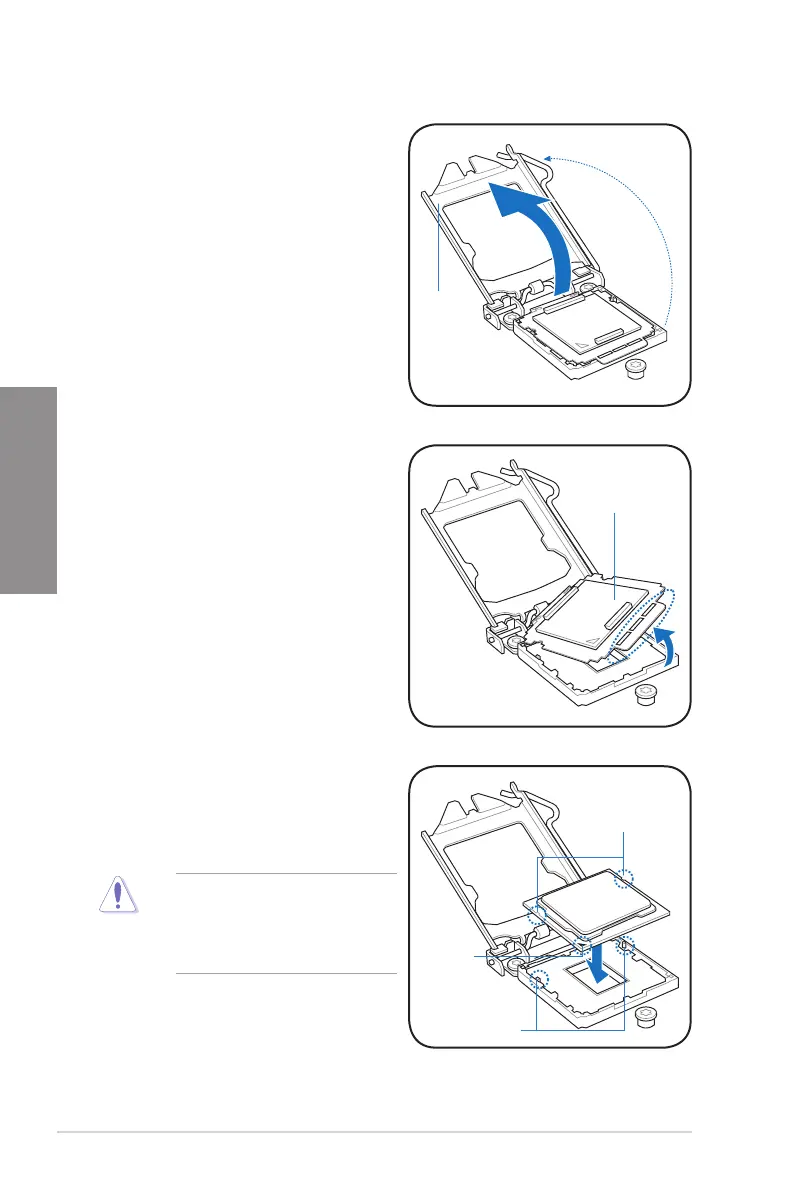
The CPU ts in only one correct
orientation. DO NOT force the CPU
into the socket to prevent bending
the connectors on the socket and
damaging the CPU!
Gold
triangle
mark
Alignment keys
CPU notches
5. Position the CPU over the socket,
ensuring that the gold triangle is on the
bottom-left corner of the socket, and then
t the socket alignment keys into the CPU
notches.
4. Remove the PnP cap from the CPU
socket.
PnP cap
3. Lift the load lever in the direction of the
arrow until the load plate is completely
lifted.
Load plate


 To Next Page