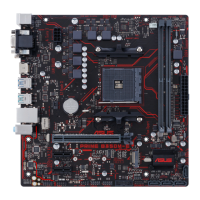
ASUS PRIME B350M-E
1-9
9. HDMI port.ThisportisforaHigh-DenitionMultimediaInterface(HDMI)connector,
andisHDCPcompliantallowingplaybackofHDDVD,Blu-ray,andotherprotected
content.
10. DVI-D port.ThisportisforanyDVI-Dcompatibledevice.
DVI-DcannotbeconvertedtooutputfromRGBSignaltoCRTandisnotcompatiblewith
DVI-I.
11. PS/2 keyboard (purple).ThisportisforaPS/2keyboard.
6. Line In port (light blue).Thisportconnectstothetape,CD,DVDplayer,orother
audio sources.
7. Line Out port (lime).Thisportconnectstoaheadphoneoraspeaker.Inthe4.1,5.1
and7.1-channelcongurations,thefunctionofthisportbecomesFrontSpeakerOut.
8. Microphone port (pink). This port connects to a microphone.
Refertotheaudiocongurationtableforthefunctionoftheaudioportsin2.1,4.1,5.1,or
7.1-channelconguration.
Audio 2.1, 4.1, 5.1, or 7.1-channel configuration
Port
Headset
2.1-channel
4.1-channel 5.1-channel 7.1-channel
LightBlue(Rearpanel) LineIn RearSpeakerOut RearSpeakerOut RearSpeakerOut
Lime(Rearpanel) LineOut FrontSpeakerOut FrontSpeakerOut FrontSpeakerOut
Pink(Rearpanel) MicIn MicIn Bass/Center Bass/Center
Lime(Frontpanel) - - - SideSpeakerOut






 To Next Page