5
Getting started
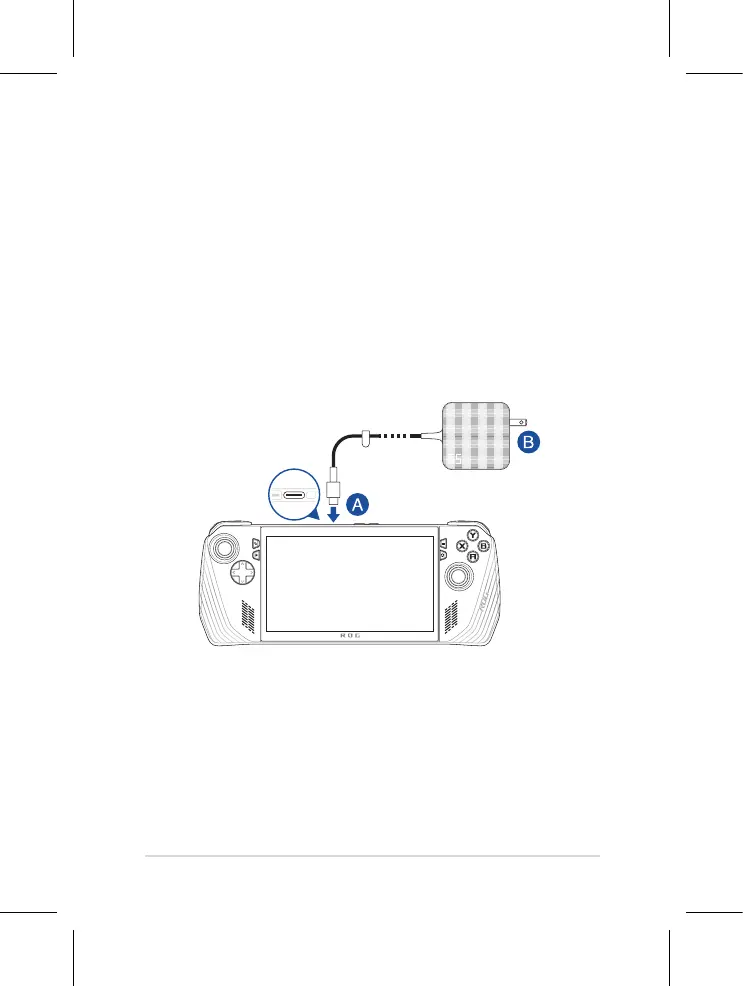
1. Charge your ROG Handheld Console
A. Connect the DC power connector into the ROG Handheld Console’s power (DC) input
port.
B. Plug the AC power adapter into a 100V~240V power source.
NOTE: The power adapter may vary in appearance, depending on models and your
region.
IMPORTANT! Use only the bundled power adapter to charge the battery pack and
supply power to your ROG Handheld Console.
2. Press the power button to turn on your ROG Handheld Console


 To Next Page