32
3.4 Setting up Parental Control
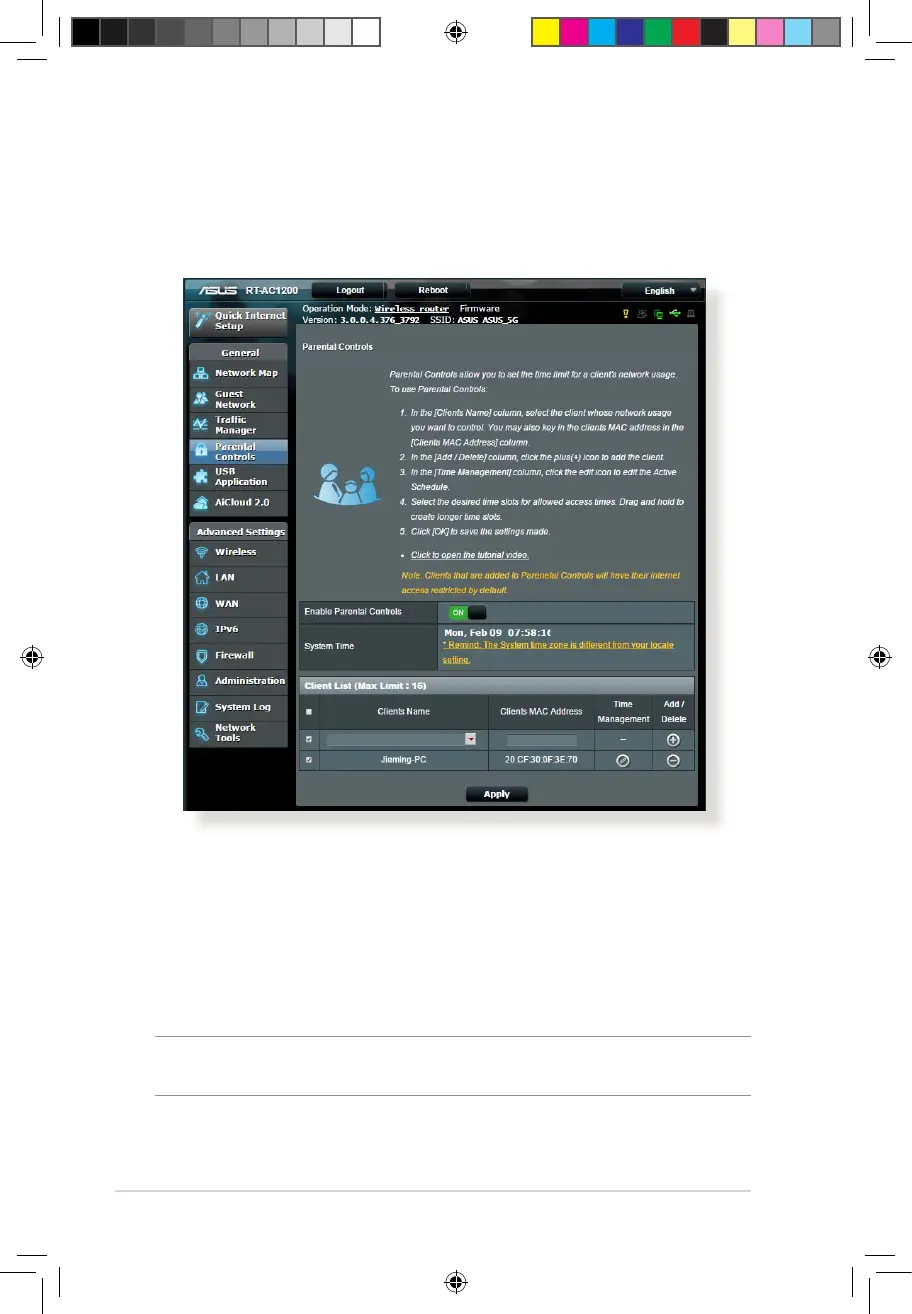
Parental Control allows you to control the Internet access time.
Users can set the time limit for a client’s network usage.
To use the parental control function:
1. From the navigation panel, go to General > Parental control.
2. Click ON to enable Parental Control.
3. Select the client whose network usage you want to control.
You may also key in the client’s MAC address in the Client MAC
Address column.
NOTE: Ensure that the client name does not contain special characters
or spaces as this may cause the router to function abnormally.
E10170_RT-AC1200_Guide.indd 32 2015/4/29 15:48:28



 To Next Page