Need help?
Do you have a question about the Asus RT-AC1200G+ and is the answer not in the manual?
Instructions for setting up the wireless router, including wired connection procedures.
Advanced wireless settings for the router, including general, WPS, and MAC filter configurations.
Configuration options for the Local Area Network (LAN) settings, including IP and DHCP server.
Settings related to the Wide Area Network (WAN) connection, such as internet type and port forwarding.
Guides through the initial setup process for internet connection using auto-detection.
Provides basic steps to resolve common router issues, such as firmware updates and cable checks.
Answers to common questions regarding router access, connectivity, and configuration issues.
 General
| Frequency Band | 2.4 GHz / 5 GHz |
|---|---|
| USB Ports | 1 x USB 2.0 |
| Firewall | SPI intrusion detection, DoS protection |
| Memory | 128 MB Flash, 128 MB RAM |
| Operating System | ASUSWRT |
| Wireless Standard | 802.11ac |
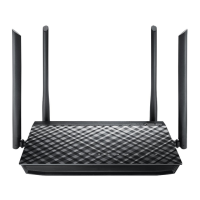
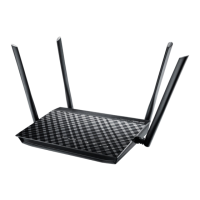
| Antennas | 4 x external antennas |
| LAN Ports | 4 x 10/100/1000 Mbps |
| WAN Ports | 1 x 10/100/1000 Mbps |
| Security | WPA2-PSK, WPA-PSK, WPA-Enterprise, WPA2-Enterprise |
| VPN Support | PPTP, L2TP |
| Dimensions | 207 x 148.8 x 35.5 mm |

 To Next Page